Work simulator
This three-week solo project was created in Unity during a course focused on simulator development. The goal was to build an interactive training environment where new employees could learn basic work procedures through hands-on interaction. My simulator centered on warehouse operations, where users pack deliveries based on randomly generated order lists.
Development
I built every aspect of the experience: visuals, audio, and functionality. All models were created in Blender and then imported into Unity, where they were connected through C# scripts to drive interactions and feedback. The system checks each item placed in the box, responding with sound cues and a nearby light that turns green or red depending on whether the packing is correct. Once a delivery is completed, a new order list can be generated for continued training.
Challenges
The main challenge was learning Unity’s workflow and understanding C# scripting from the ground up. Balancing limited time against ambition was also difficult; I quickly learned that functionality often has to come before visual polish. Through this process, I gained a practical understanding of component hierarchies, interaction logic, and error-proof design.
Result
The result was a stable, bug-free simulator that worked reliably and felt purposeful. I was particularly proud of how robust the logic became. Users couldn’t break the experience even with unexpected inputs or behaviour. With more time, I would refine item orientation when held, balance the audio levels for consistency, and improve material quality on the environment surfaces.
Project Details
Unity
Work simulator
Solo project
Project Lenght
3 weeks
Completed
Dec 6, 2024
Workstation setup
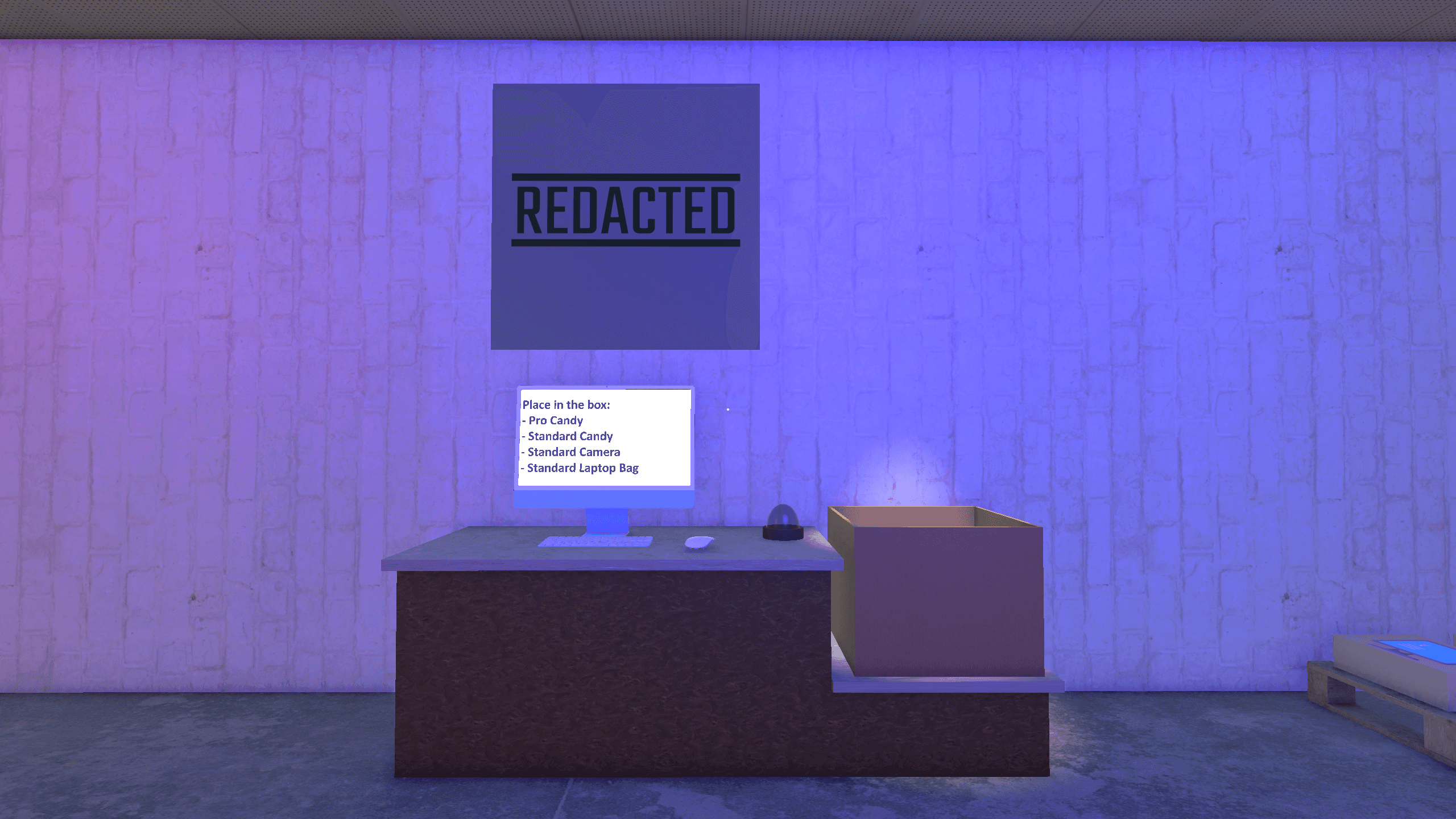
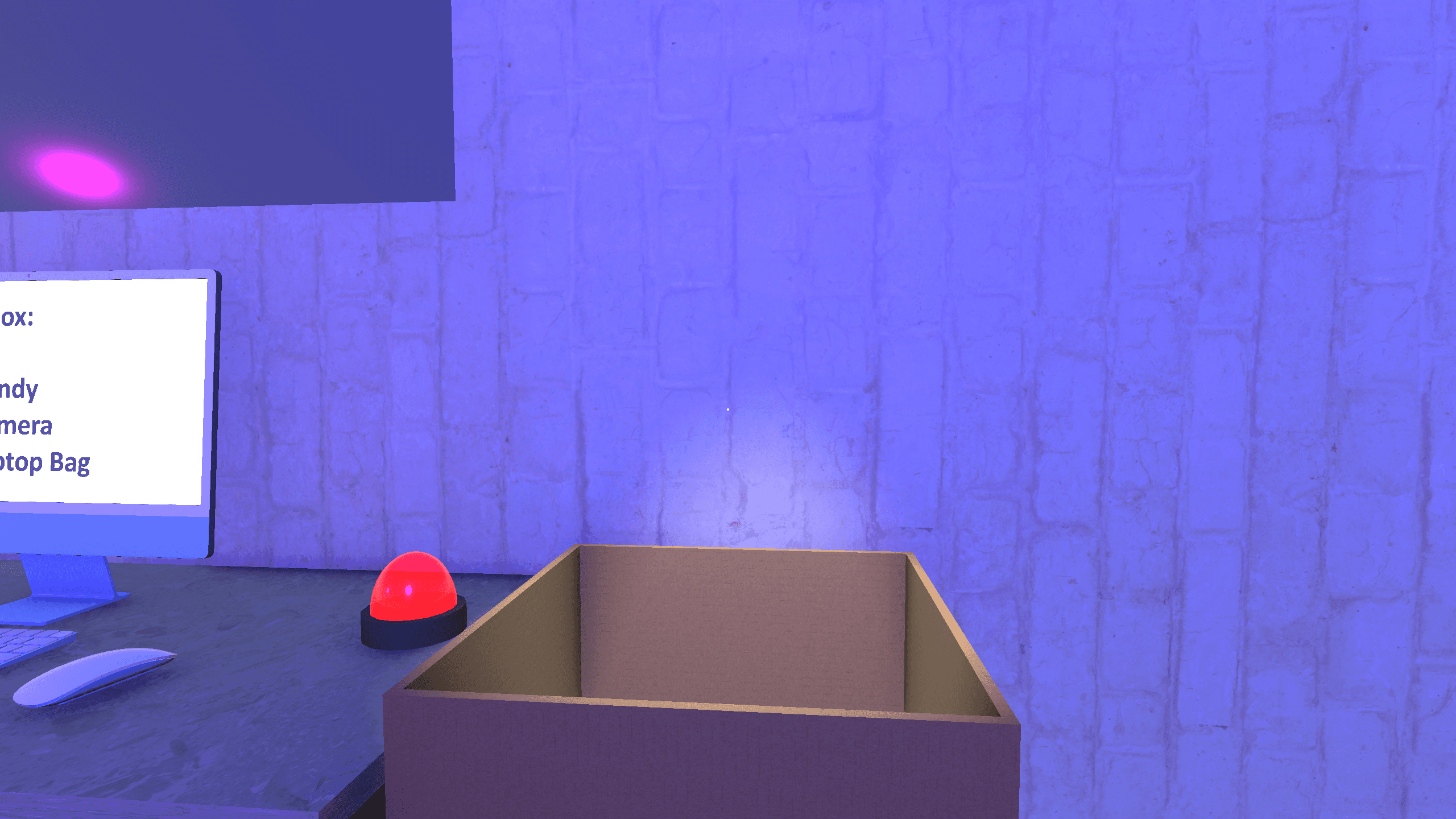
The main packing station includes a monitor displaying the randomly generated order list, a cardboard box for deliveries, and a feedback light indicating packing accuracy.
Pickup interaction
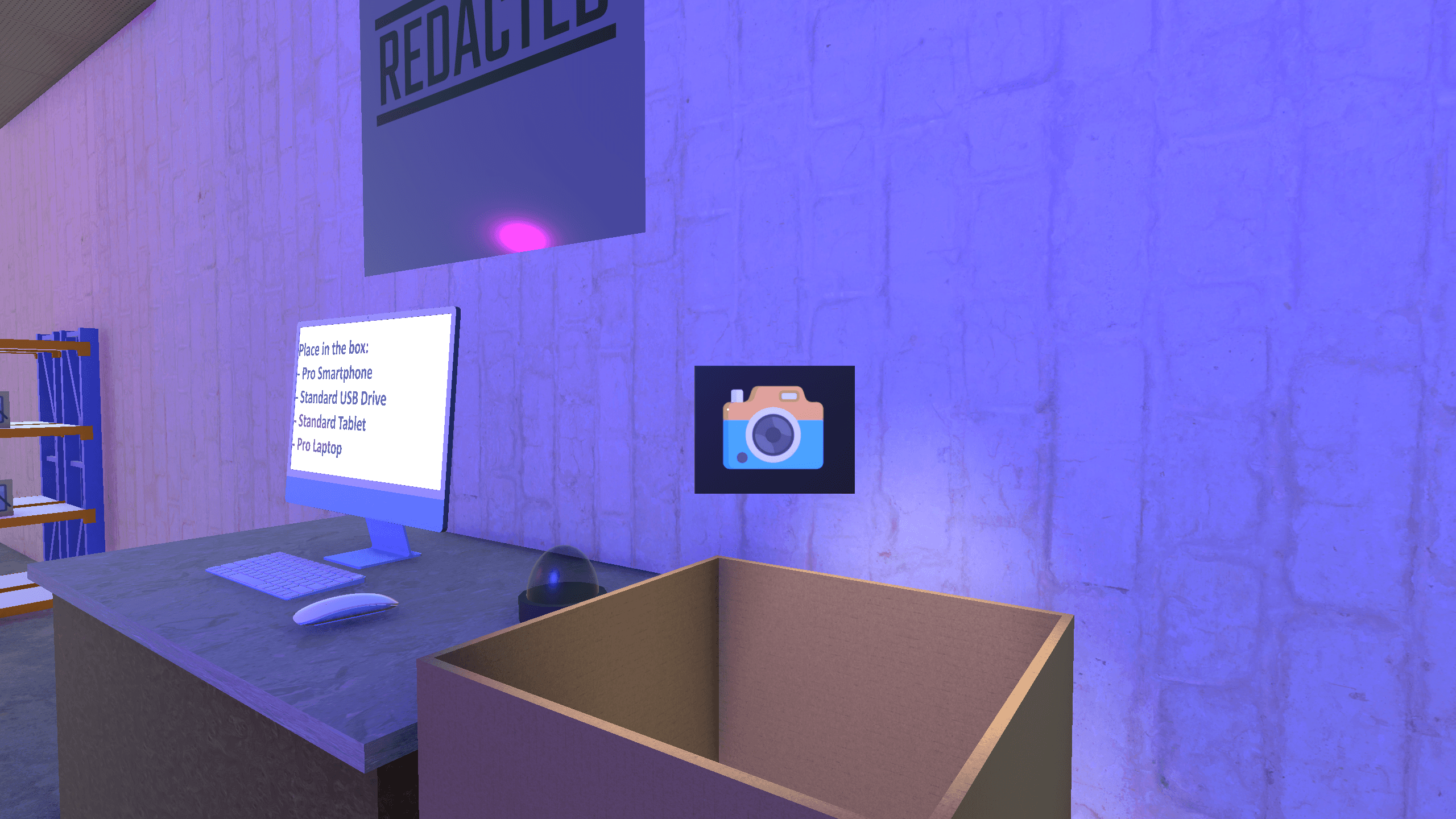
A product is being carried above the box. Overhead lighting helps the player visually align the object, signaling when it is positioned correctly for release.
Correct feedback
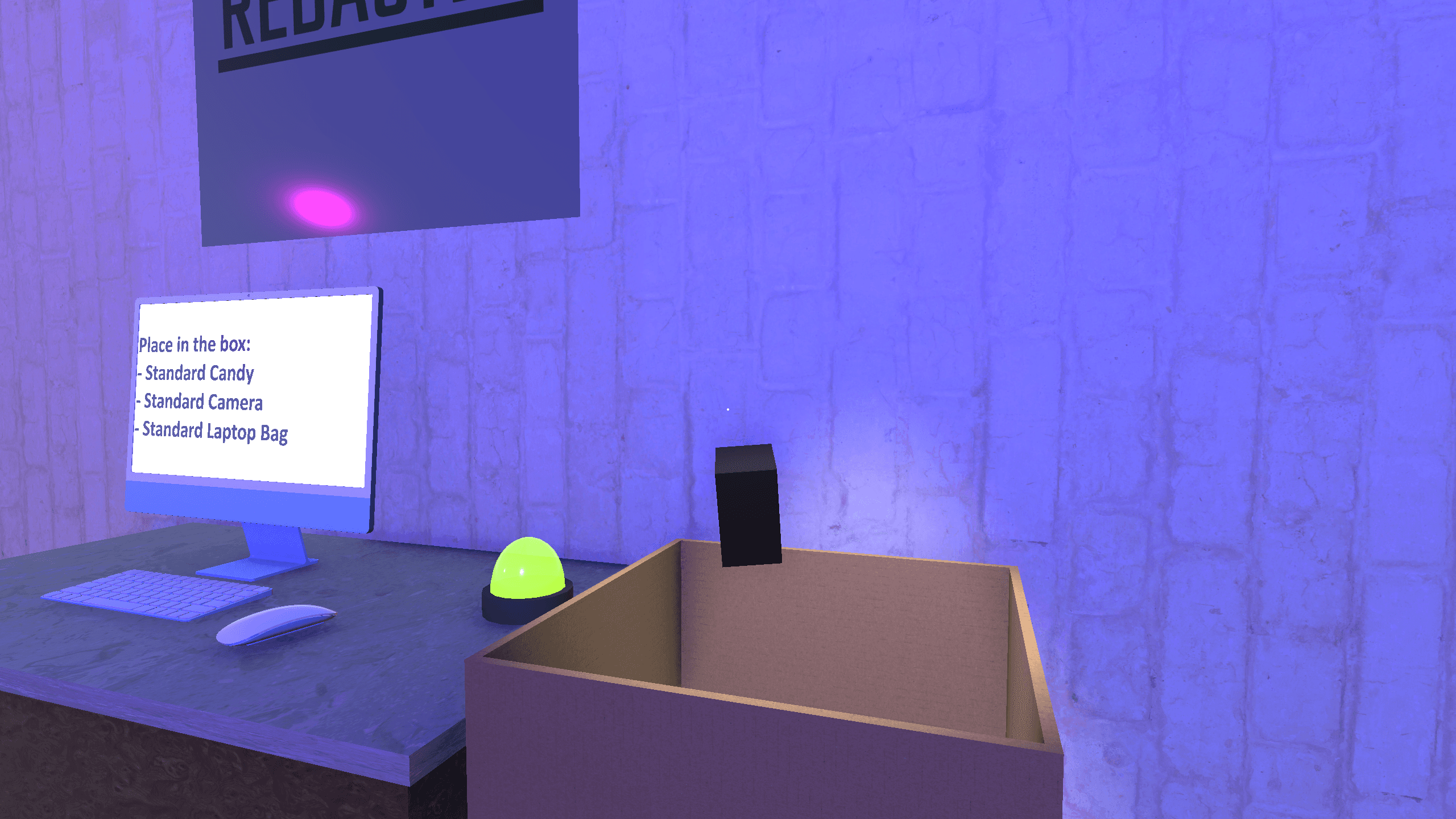
When the right product is dropped into the box, the feedback light instantly turns green, confirming a successful match and reinforcing the training objective.
Error feedback
Dropping the wrong item triggers a red light, providing immediate correction through both visual and audio feedback.
Storage shelves
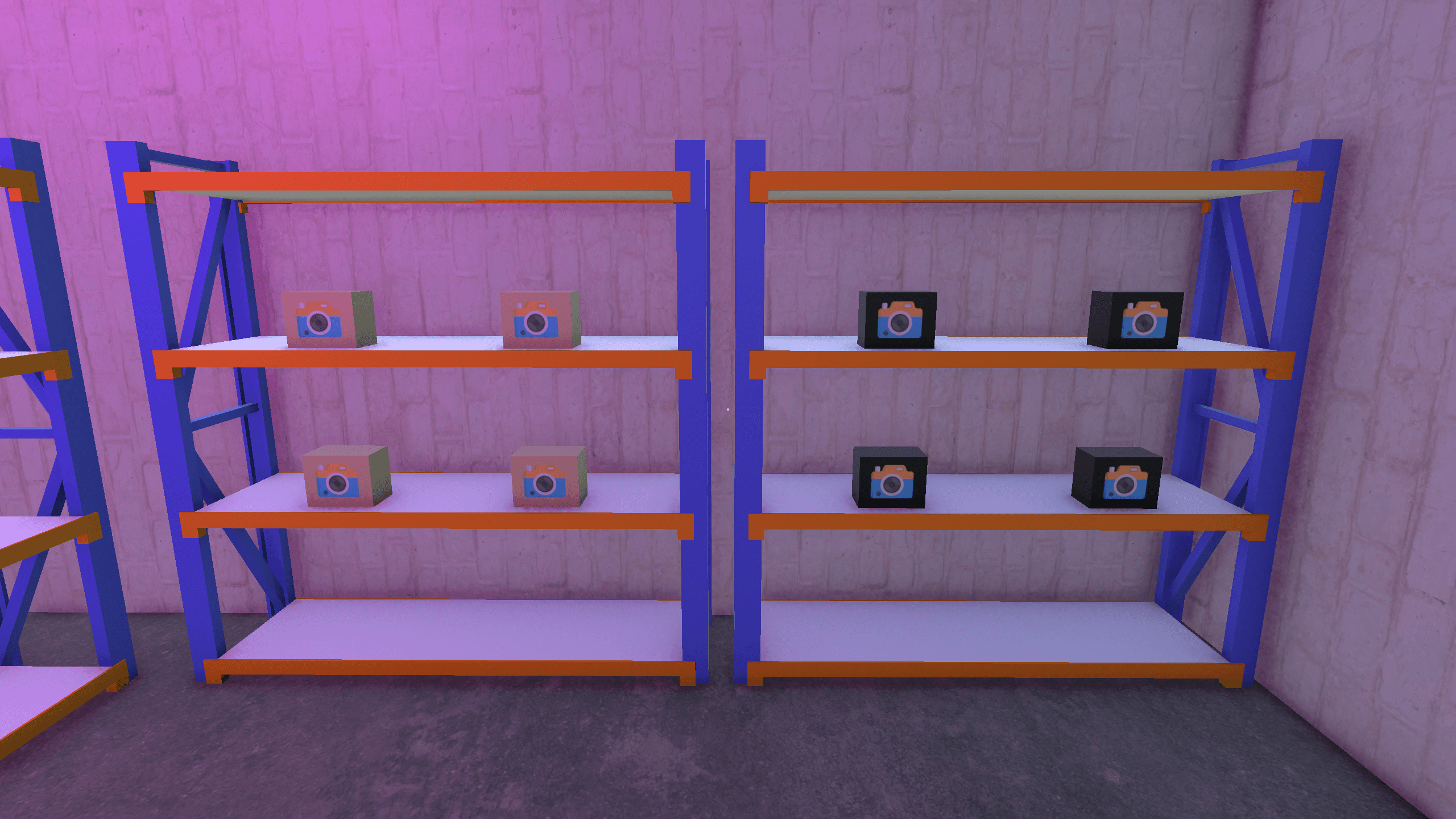
Two warehouse shelves with limited product types. The small number of assets was intentional to optimize performance for lower-end systems as required by the assignment.
Minimal interface
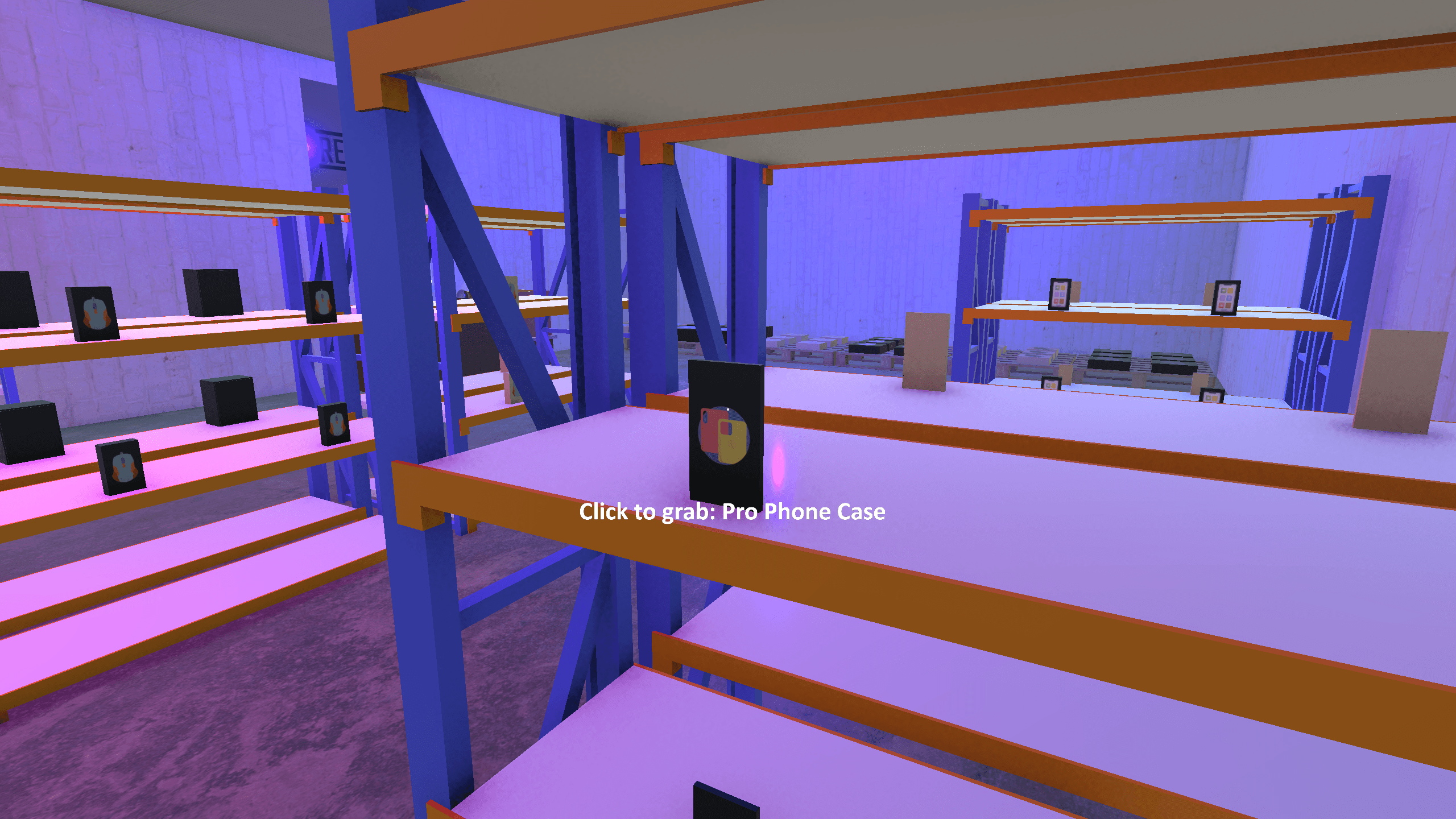
A minimal UI displays the current product name and clear pickup instructions, ensuring the interface stays intuitive and non-distracting.
Full environment view
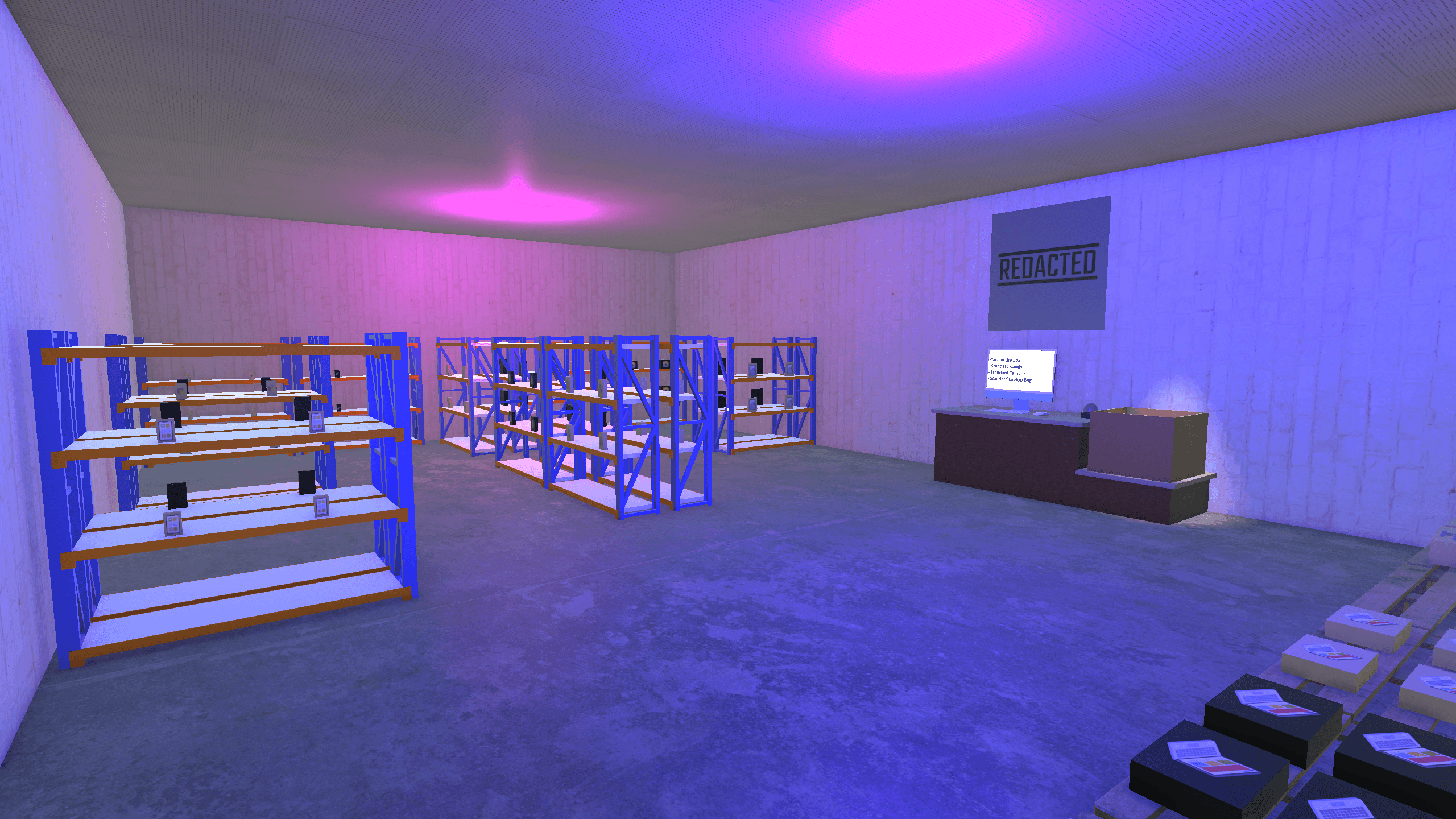
An overview of the entire warehouse showing the workspace, products, and feedback systems working together in a cohesive training environment.
Work simulator
This three-week solo project was created in Unity during a course focused on simulator development. The goal was to build an interactive training environment where new employees could learn basic work procedures through hands-on interaction. My simulator centered on warehouse operations, where users pack deliveries based on randomly generated order lists.
Development
I built every aspect of the experience: visuals, audio, and functionality. All models were created in Blender and then imported into Unity, where they were connected through C# scripts to drive interactions and feedback. The system checks each item placed in the box, responding with sound cues and a nearby light that turns green or red depending on whether the packing is correct. Once a delivery is completed, a new order list can be generated for continued training.
Challenges
The main challenge was learning Unity’s workflow and understanding C# scripting from the ground up. Balancing limited time against ambition was also difficult; I quickly learned that functionality often has to come before visual polish. Through this process, I gained a practical understanding of component hierarchies, interaction logic, and error-proof design.
Result
The result was a stable, bug-free simulator that worked reliably and felt purposeful. I was particularly proud of how robust the logic became. Users couldn’t break the experience even with unexpected inputs or behaviour. With more time, I would refine item orientation when held, balance the audio levels for consistency, and improve material quality on the environment surfaces.
Project Details
Unity
Work simulator
Solo project
Project Lenght
3 weeks
Completed
Dec 6, 2024
Workstation setup
The main packing station includes a monitor displaying the randomly generated order list, a cardboard box for deliveries, and a feedback light indicating packing accuracy.
Pickup interaction
A product is being carried above the box. Overhead lighting helps the player visually align the object, signaling when it is positioned correctly for release.
Correct feedback
When the right product is dropped into the box, the feedback light instantly turns green, confirming a successful match and reinforcing the training objective.
Error feedback
Dropping the wrong item triggers a red light, providing immediate correction through both visual and audio feedback.
Storage shelves
Two warehouse shelves with limited product types. The small number of assets was intentional to optimize performance for lower-end systems as required by the assignment.
Minimal interface
A minimal UI displays the current product name and clear pickup instructions, ensuring the interface stays intuitive and non-distracting.
Full environment view
An overview of the entire warehouse showing the workspace, products, and feedback systems working together in a cohesive training environment.
Work simulator
This three-week solo project was created in Unity during a course focused on simulator development. The goal was to build an interactive training environment where new employees could learn basic work procedures through hands-on interaction. My simulator centered on warehouse operations, where users pack deliveries based on randomly generated order lists.
Development
I built every aspect of the experience: visuals, audio, and functionality. All models were created in Blender and then imported into Unity, where they were connected through C# scripts to drive interactions and feedback. The system checks each item placed in the box, responding with sound cues and a nearby light that turns green or red depending on whether the packing is correct. Once a delivery is completed, a new order list can be generated for continued training.
Challenges
The main challenge was learning Unity’s workflow and understanding C# scripting from the ground up. Balancing limited time against ambition was also difficult; I quickly learned that functionality often has to come before visual polish. Through this process, I gained a practical understanding of component hierarchies, interaction logic, and error-proof design.
Result
The result was a stable, bug-free simulator that worked reliably and felt purposeful. I was particularly proud of how robust the logic became. Users couldn’t break the experience even with unexpected inputs or behaviour. With more time, I would refine item orientation when held, balance the audio levels for consistency, and improve material quality on the environment surfaces.
Project Details
Unity
Work simulator
Solo project
Project Lenght
3 weeks
Completed
Dec 6, 2024
Workstation setup
The main packing station includes a monitor displaying the randomly generated order list, a cardboard box for deliveries, and a feedback light indicating packing accuracy.
Pickup interaction
A product is being carried above the box. Overhead lighting helps the player visually align the object, signaling when it is positioned correctly for release.
Correct feedback
When the right product is dropped into the box, the feedback light instantly turns green, confirming a successful match and reinforcing the training objective.
Error feedback
Dropping the wrong item triggers a red light, providing immediate correction through both visual and audio feedback.
Storage shelves
Two warehouse shelves with limited product types. The small number of assets was intentional to optimize performance for lower-end systems as required by the assignment.
Minimal interface
A minimal UI displays the current product name and clear pickup instructions, ensuring the interface stays intuitive and non-distracting.
Full environment view
An overview of the entire warehouse showing the workspace, products, and feedback systems working together in a cohesive training environment.