Water shader
Created during the Shader Development course, this project focused on building a dynamic and realistic water material in Unreal Engine 5. The assignment required both custom shaders and at least one full-screen post effect, with freedom in lighting, camera setup, and particle integration. My goal was to use the knowledge I had just gained in material graph logic to create scalable, efficient shaders suitable for real-time environments.
Development
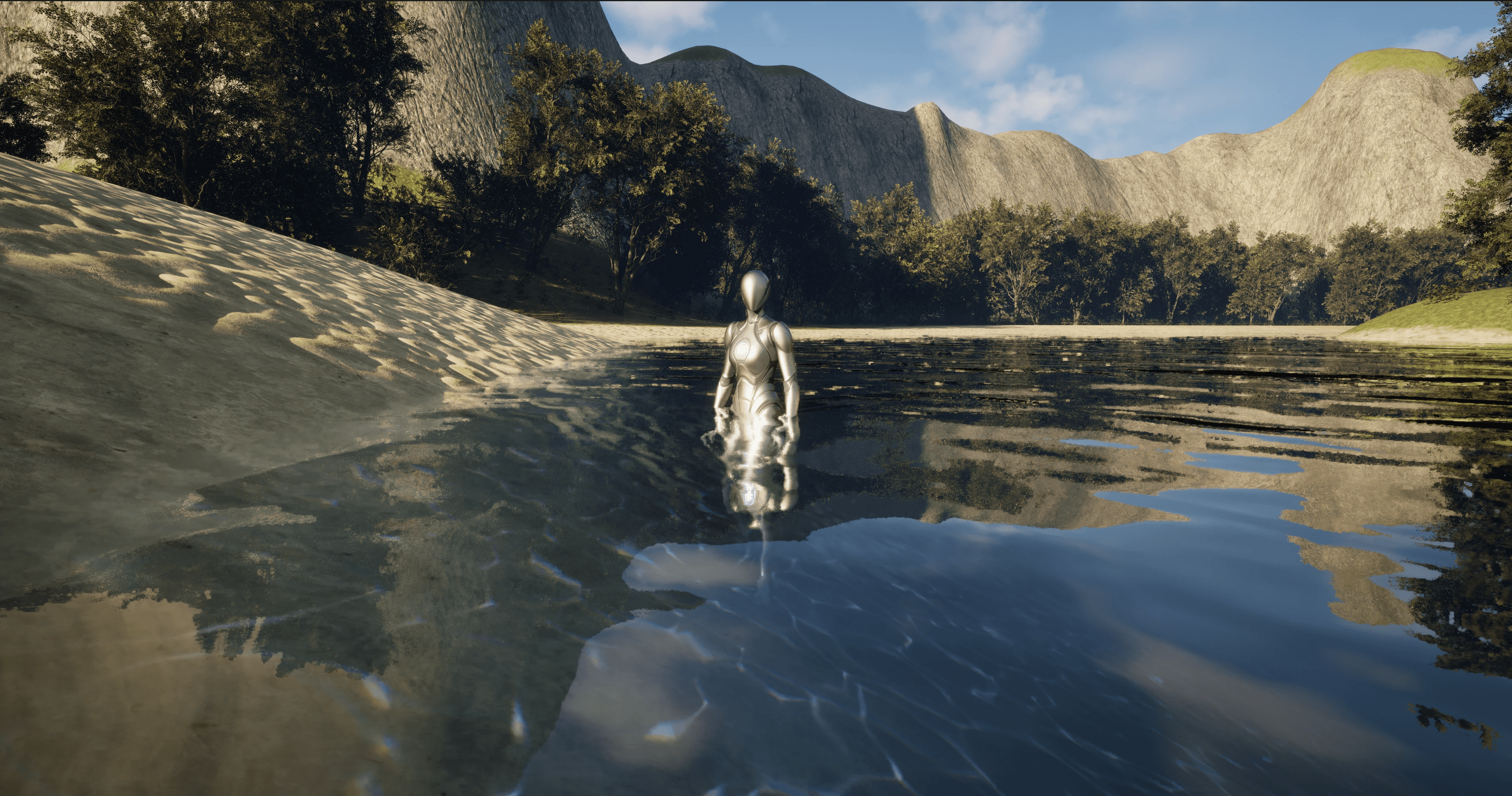
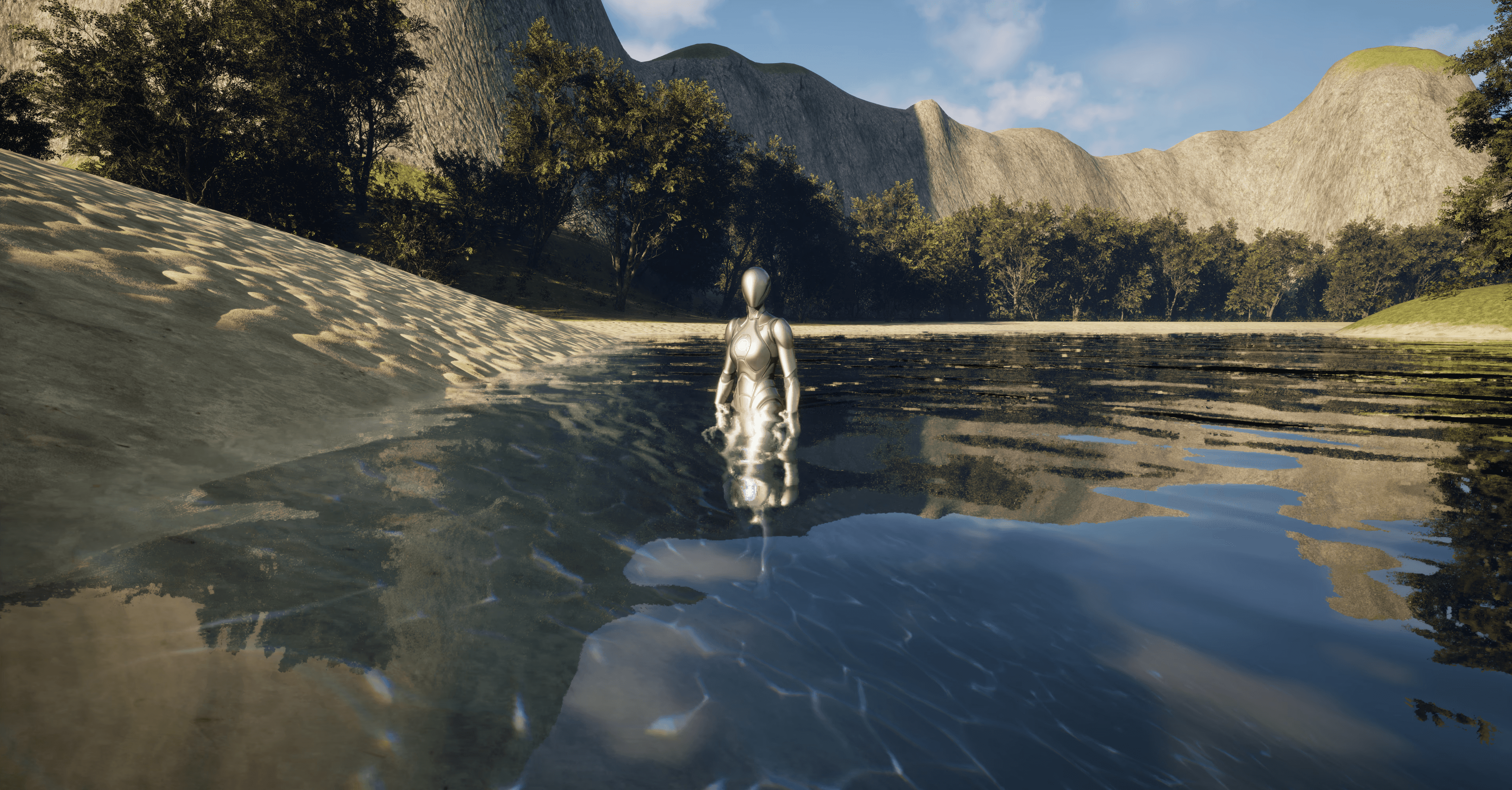
The shader simulates depth-based color, refraction, and wave motion using multiple normal maps moving in different directions and speeds. Wave size changes with camera distance via a distance mask, and when viewed below the surface, a post-process volume adds fog and chromatic distortion to mimic underwater visibility.
Animated caustics are projected through a decal actor that follows the same movement as the surface waves. In addition, I built a master material blending sand, stone, and grass textures, allowing the environment to be painted using a single material instance. All shaders were created through UE5’s material graphs.
Challenges
Achieving convincing motion and color balance was the hardest part. I relied heavily on video reference and tested multiple combinations of speed and distortion values before finding something believable. I learned how to fake complexity through controlled parameterization, optimize shader performance, and structure materials for scalability.
Result
The final result was visually satisfying and lightweight to render. The water responded believably to light and depth, with clear readability both above and below the surface. In future iterations, I’d like to add foam interaction where water meets objects, splashes from movement, and depth-based sound effects.
Project Details
Unreal Engine 5
Shader
Solo project
Project Lenght
1 week
Completed
Mar 20, 2025
Surface interaction
A close-up of the player standing waist-deep in water. The scene highlights surface detail and animated caustics projected onto the ground beneath, giving the illusion of refracted sunlight.
Material blending
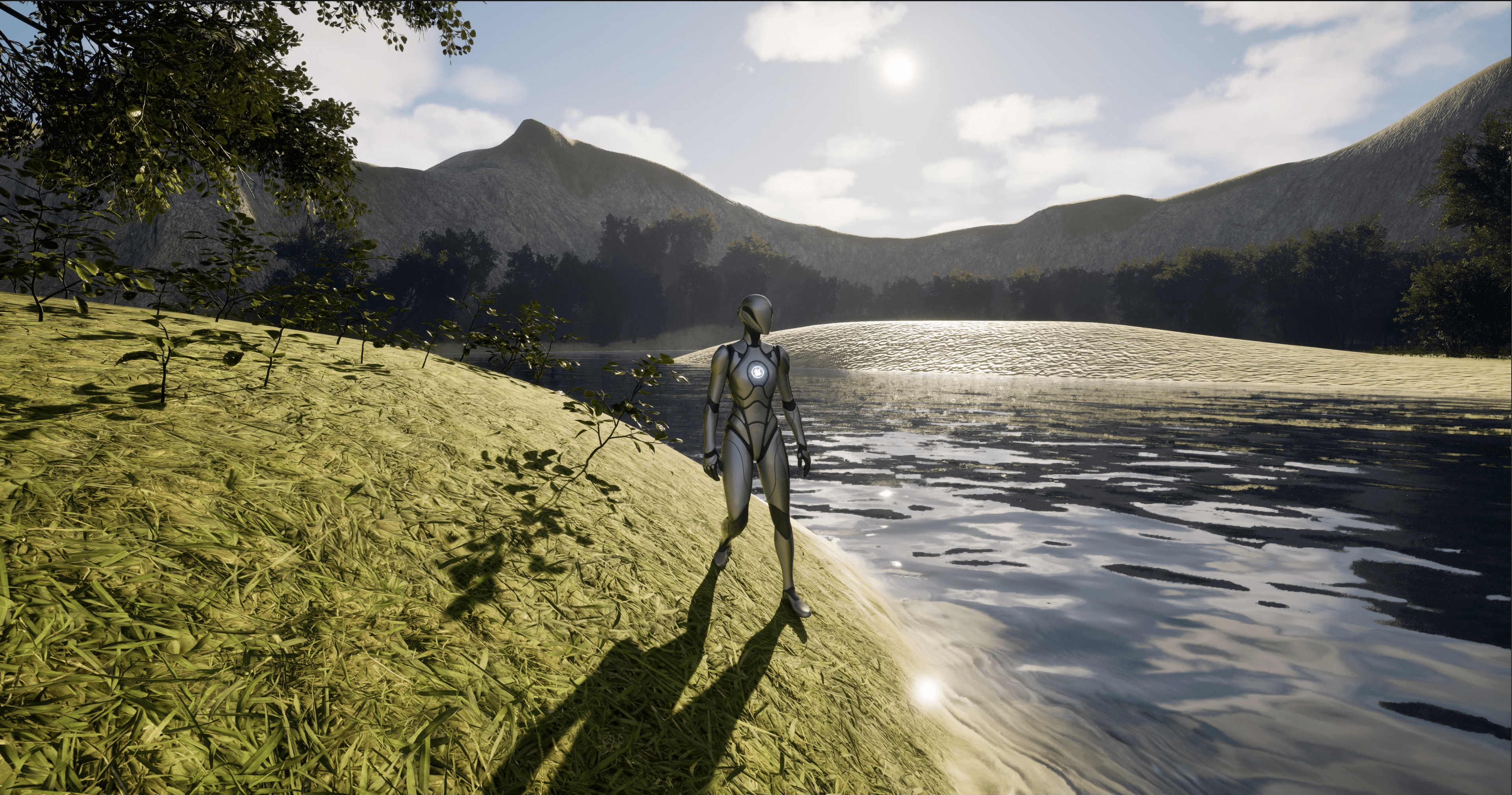
Captured at the shoreline, this shot shows how the landscape shader blends three materials - sand, grass, and stone into a continuous surface. The transition is fully procedural and controlled by painted mask channels.
Refraction effect
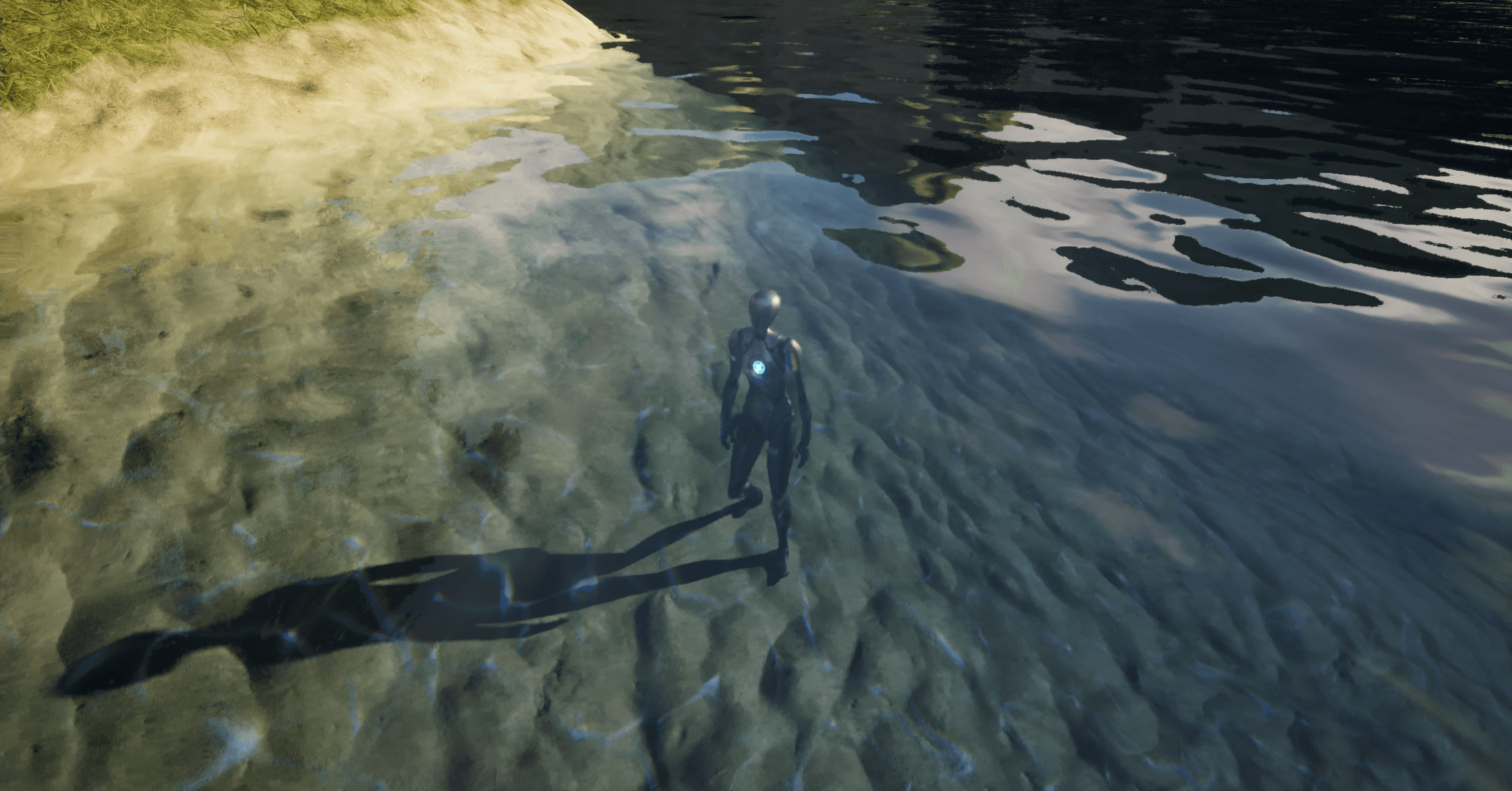
From above the surface, the player is visible beneath the waterline, but their silhouette appears distorted. This demonstrates how the refraction in the shader bends light realistically, altering the perceived geometry below the surface.
Underwater volume
Inside the post-process volume, fog and chromatic warping reduce clarity and color accuracy. These effects simulate limited underwater visibility and add to the feeling of immersion.

Full environment view
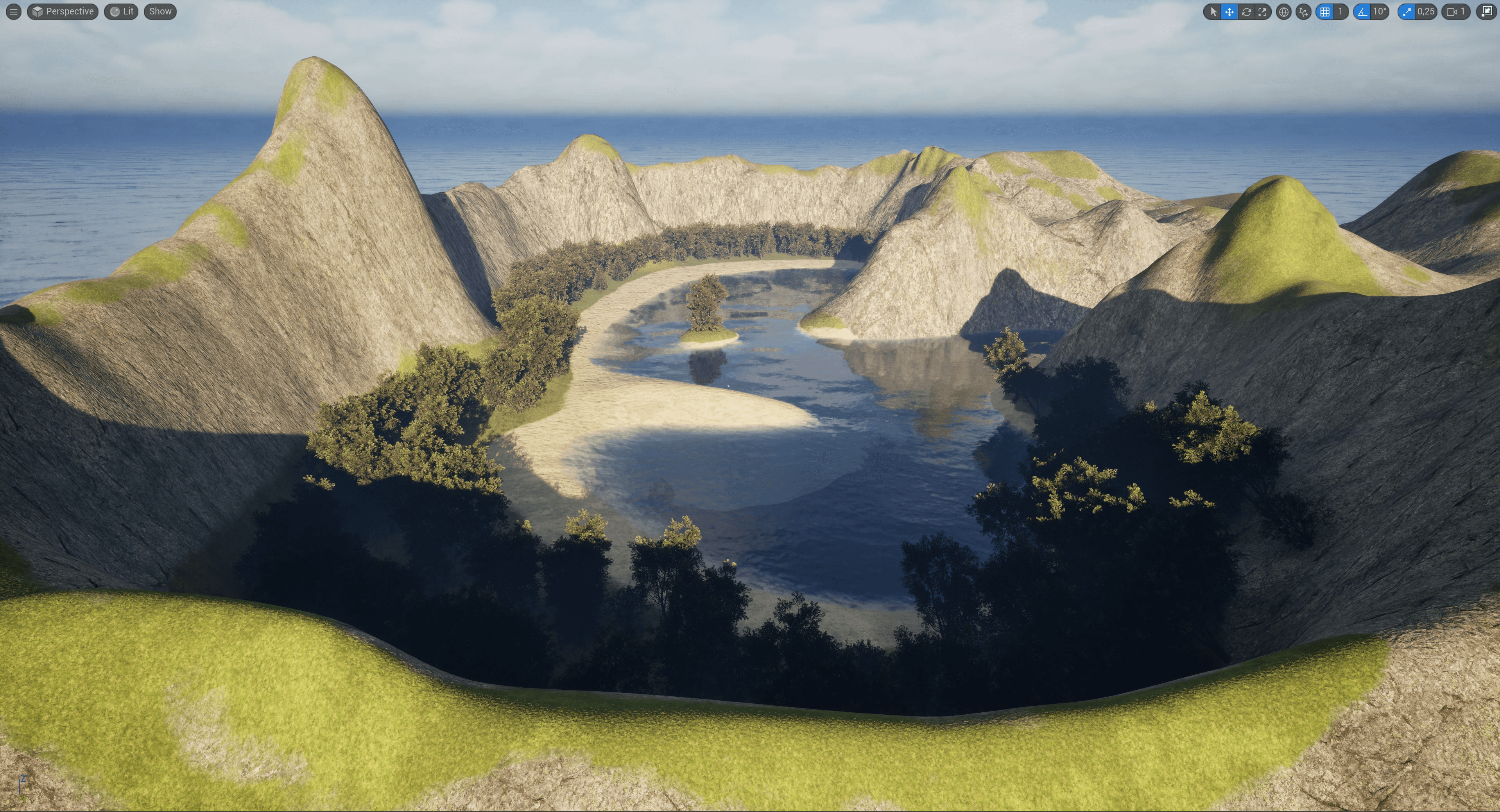
An overview of the complete level, combining the water shader with terrain, vegetation, and lighting. The composition tests how the shader integrates visually within a larger natural environment.
Normal map setup
A view of the material graph responsible for surface motion. The node network blends multiple normal maps moving in separate directions and adjusts wave scale based on camera distance.


Material instance
The instance of the master material shows exposed parameters for easy control over wave speed, refraction intensity, color depth and more. This makes the shader adaptable for different scenes.
Water shader
Created during the Shader Development course, this project focused on building a dynamic and realistic water material in Unreal Engine 5. The assignment required both custom shaders and at least one full-screen post effect, with freedom in lighting, camera setup, and particle integration. My goal was to use the knowledge I had just gained in material graph logic to create scalable, efficient shaders suitable for real-time environments.
Development
The shader simulates depth-based color, refraction, and wave motion using multiple normal maps moving in different directions and speeds. Wave size changes with camera distance via a distance mask, and when viewed below the surface, a post-process volume adds fog and chromatic distortion to mimic underwater visibility.
Animated caustics are projected through a decal actor that follows the same movement as the surface waves. In addition, I built a master material blending sand, stone, and grass textures, allowing the environment to be painted using a single material instance. All shaders were created through UE5’s material graphs.
Challenges
Achieving convincing motion and color balance was the hardest part. I relied heavily on video reference and tested multiple combinations of speed and distortion values before finding something believable. I learned how to fake complexity through controlled parameterization, optimize shader performance, and structure materials for scalability.
Result
The final result was visually satisfying and lightweight to render. The water responded believably to light and depth, with clear readability both above and below the surface. In future iterations, I’d like to add foam interaction where water meets objects, splashes from movement, and depth-based sound effects.
Project Details
Unreal Engine 5
Shader
Solo project
Project Lenght
1 week
Completed
Mar 20, 2025
Surface interaction
A close-up of the player standing waist-deep in water. The scene highlights surface detail and animated caustics projected onto the ground beneath, giving the illusion of refracted sunlight.
Material blending
Captured at the shoreline, this shot shows how the landscape shader blends three materials - sand, grass, and stone into a continuous surface. The transition is fully procedural and controlled by painted mask channels.
Refraction effect
From above the surface, the player is visible beneath the waterline, but their silhouette appears distorted. This demonstrates how the refraction in the shader bends light realistically, altering the perceived geometry below the surface.
Underwater volume
Inside the post-process volume, fog and chromatic warping reduce clarity and color accuracy. These effects simulate limited underwater visibility and add to the feeling of immersion.
Full environment view
An overview of the complete level, combining the water shader with terrain, vegetation, and lighting. The composition tests how the shader integrates visually within a larger natural environment.
Normal map setup
A view of the material graph responsible for surface motion. The node network blends multiple normal maps moving in separate directions and adjusts wave scale based on camera distance.
Material instance
The instance of the master material shows exposed parameters for easy control over wave speed, refraction intensity, color depth and more. This makes the shader adaptable for different scenes.
Water shader
Created during the Shader Development course, this project focused on building a dynamic and realistic water material in Unreal Engine 5. The assignment required both custom shaders and at least one full-screen post effect, with freedom in lighting, camera setup, and particle integration. My goal was to use the knowledge I had just gained in material graph logic to create scalable, efficient shaders suitable for real-time environments.
Development
The shader simulates depth-based color, refraction, and wave motion using multiple normal maps moving in different directions and speeds. Wave size changes with camera distance via a distance mask, and when viewed below the surface, a post-process volume adds fog and chromatic distortion to mimic underwater visibility.
Animated caustics are projected through a decal actor that follows the same movement as the surface waves. In addition, I built a master material blending sand, stone, and grass textures, allowing the environment to be painted using a single material instance. All shaders were created through UE5’s material graphs.
Challenges
Achieving convincing motion and color balance was the hardest part. I relied heavily on video reference and tested multiple combinations of speed and distortion values before finding something believable. I learned how to fake complexity through controlled parameterization, optimize shader performance, and structure materials for scalability.
Result
The final result was visually satisfying and lightweight to render. The water responded believably to light and depth, with clear readability both above and below the surface. In future iterations, I’d like to add foam interaction where water meets objects, splashes from movement, and depth-based sound effects.
Project Details
Unreal Engine 5
Shader
Solo project
Project Lenght
1 week
Completed
Mar 20, 2025
Surface interaction
A close-up of the player standing waist-deep in water. The scene highlights surface detail and animated caustics projected onto the ground beneath, giving the illusion of refracted sunlight.
Material blending
Captured at the shoreline, this shot shows how the landscape shader blends three materials - sand, grass, and stone into a continuous surface. The transition is fully procedural and controlled by painted mask channels.
Refraction effect
From above the surface, the player is visible beneath the waterline, but their silhouette appears distorted. This demonstrates how the refraction in the shader bends light realistically, altering the perceived geometry below the surface.
Underwater volume
Inside the post-process volume, fog and chromatic warping reduce clarity and color accuracy. These effects simulate limited underwater visibility and add to the feeling of immersion.
Full environment view
An overview of the complete level, combining the water shader with terrain, vegetation, and lighting. The composition tests how the shader integrates visually within a larger natural environment.
Normal map setup
A view of the material graph responsible for surface motion. The node network blends multiple normal maps moving in separate directions and adjusts wave scale based on camera distance.
Material instance
The instance of the master material shows exposed parameters for easy control over wave speed, refraction intensity, color depth and more. This makes the shader adaptable for different scenes.