CITYPLANR
This group project focused on building a visual and interactive tool for early-stage city planning. The brief came from a fictional architecture firm that normally builds physical scale models for city planning but wanted a more flexible digital alternative. We created a 3D-based editor that lets users place roads, buildings, and infrastructure with a clean and intuitive interface built for speed, clarity, and creative exploration.
Development
I took responsibility for project leadership, UI design, and menu logic tied to every feature in the application. I handled scheduling through Gantt and Trello, ensuring that the team followed our plan while adapting when needed. In Unreal Engine 5, I built the complete user interface and implemented all menu systems. I also designed icons and visual elements in Illustrator CC to establish a clear and consistent graphic language.
Challenges
The biggest challenges were team alignment and time constraints. With four people and very different working styles, it was difficult to find a shared rhythm early on. We solved this through honest retrospectives, where we openly discussed what worked and what didn’t. This transparency created trust and helped us leverage each person’s strengths. We also learned to prioritize, keeping a simple list of core versus optional features became key to delivering a functioning product on time.
Result
Performance-wise, the program ran smoothly and was lightweight. The visual style was close to what we envisioned - minimal, clear, and easy to read. Interaction was intuitive for both experienced and inexperienced users, using familiar control schemes (like WASD or arrow keys). If we had more time, we would have expanded the library of building and environment assets and refined the object-editing features. Maybe also a more dynamic map.
Collaborators
Project Details
Unreal Engine 5
Planning Tool
Group project
Project Lenght
4 weeks
Completed
Apr 29, 2025
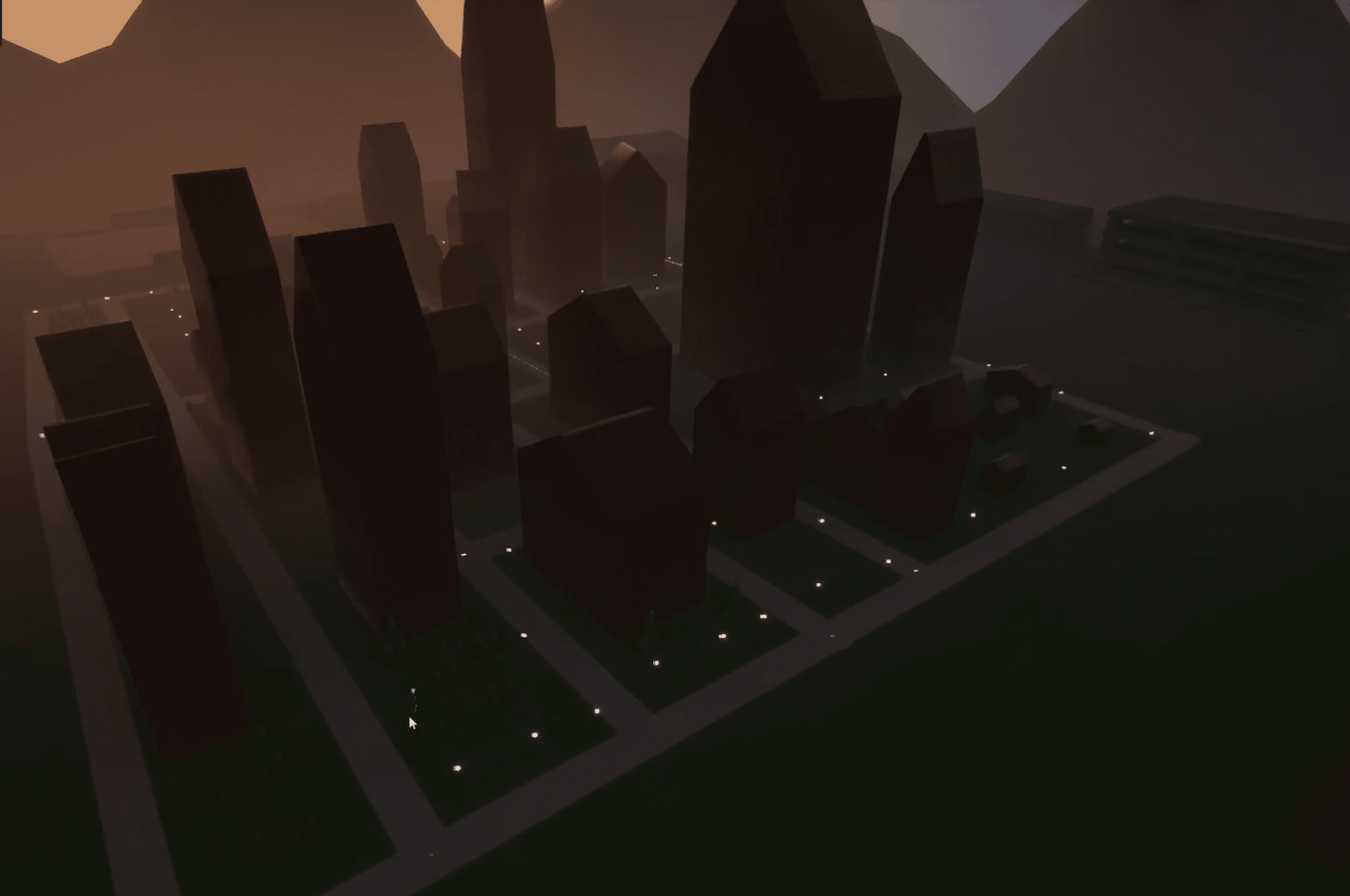
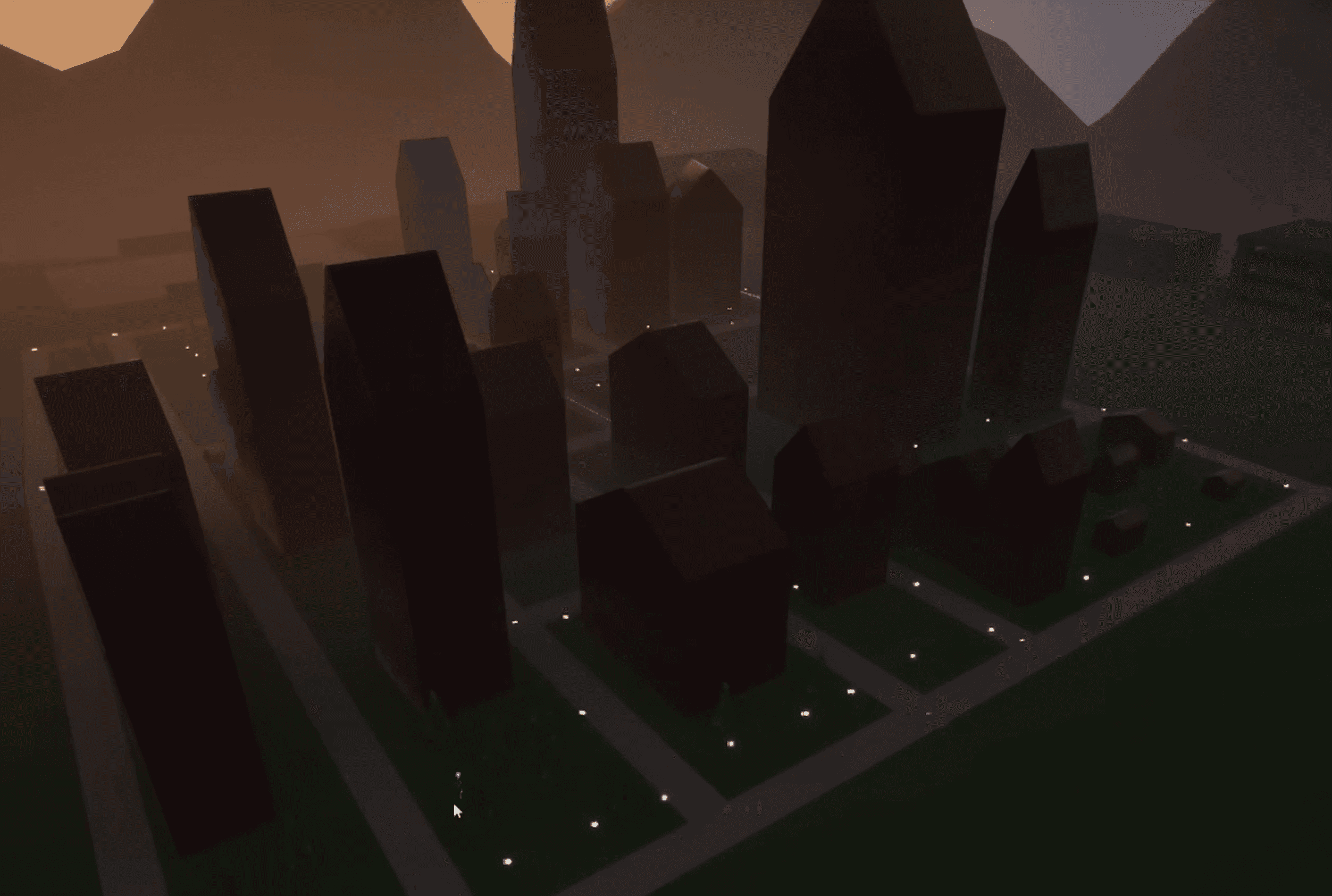
Completed district view
Example of a planned area visualized in the final prototype.
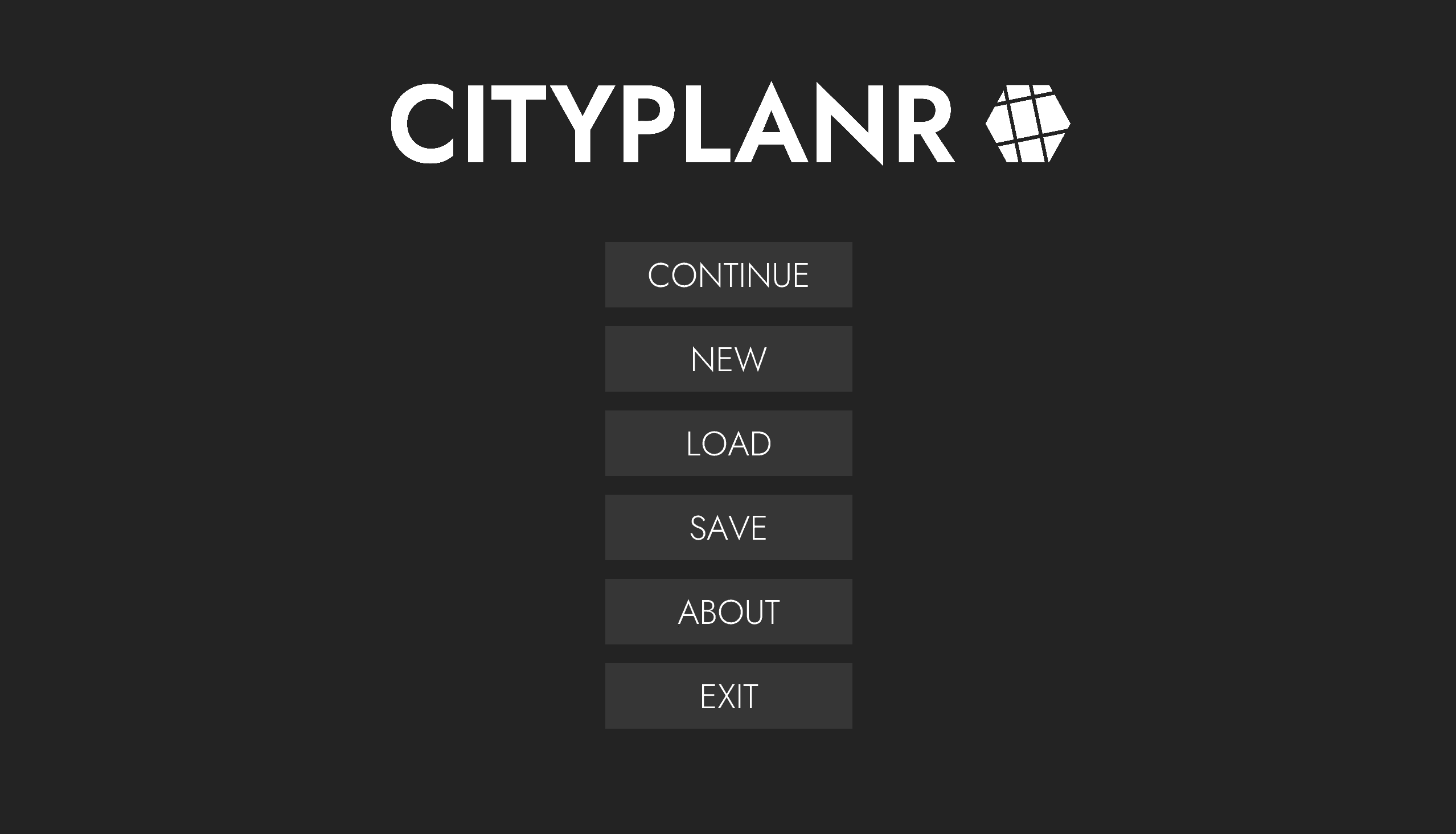
Main menu
Access to project creation and saved sessions. All with a minimal and clean look.
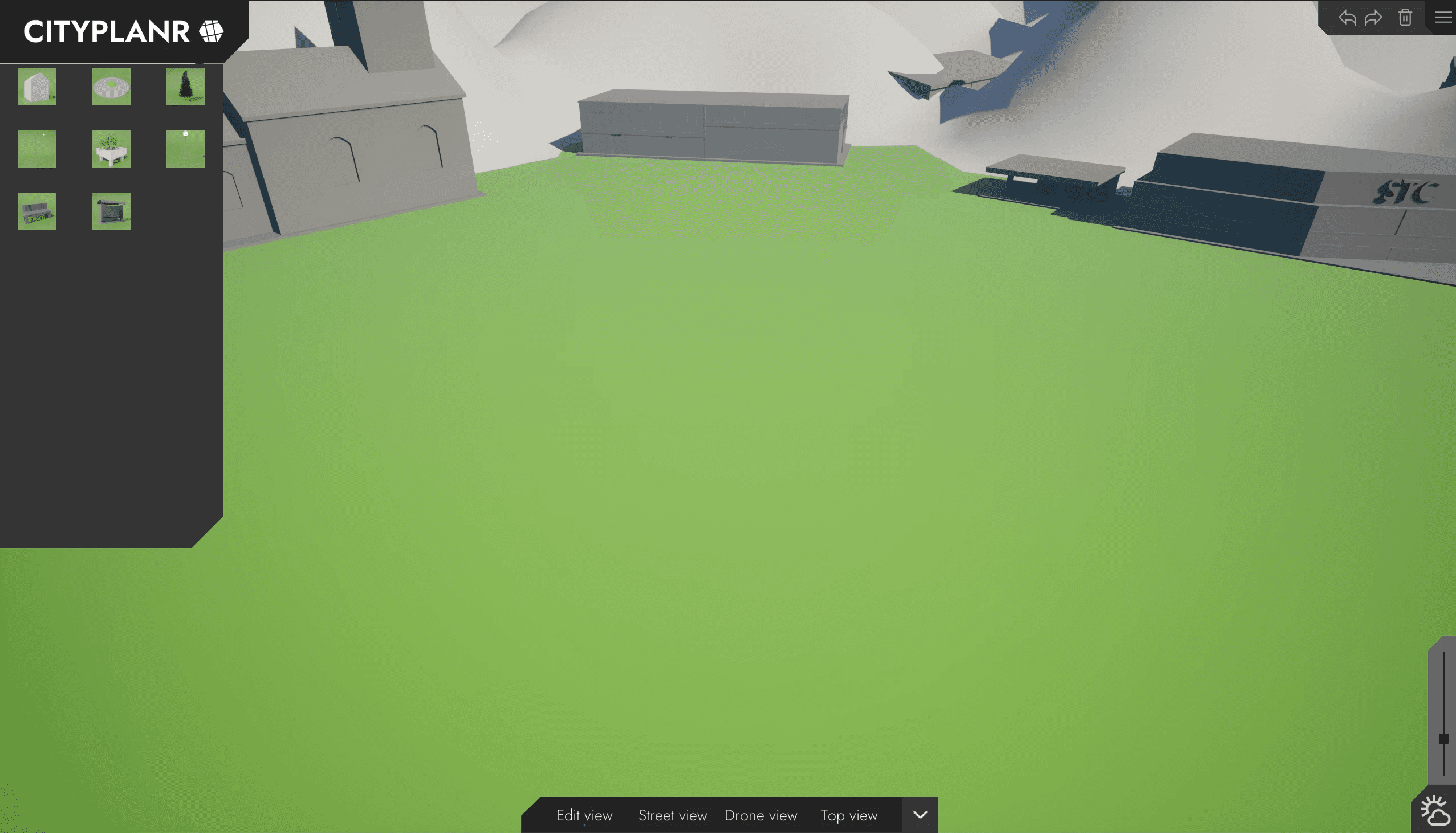
Empty scene start
A new map with base UI controls ready for building placement.
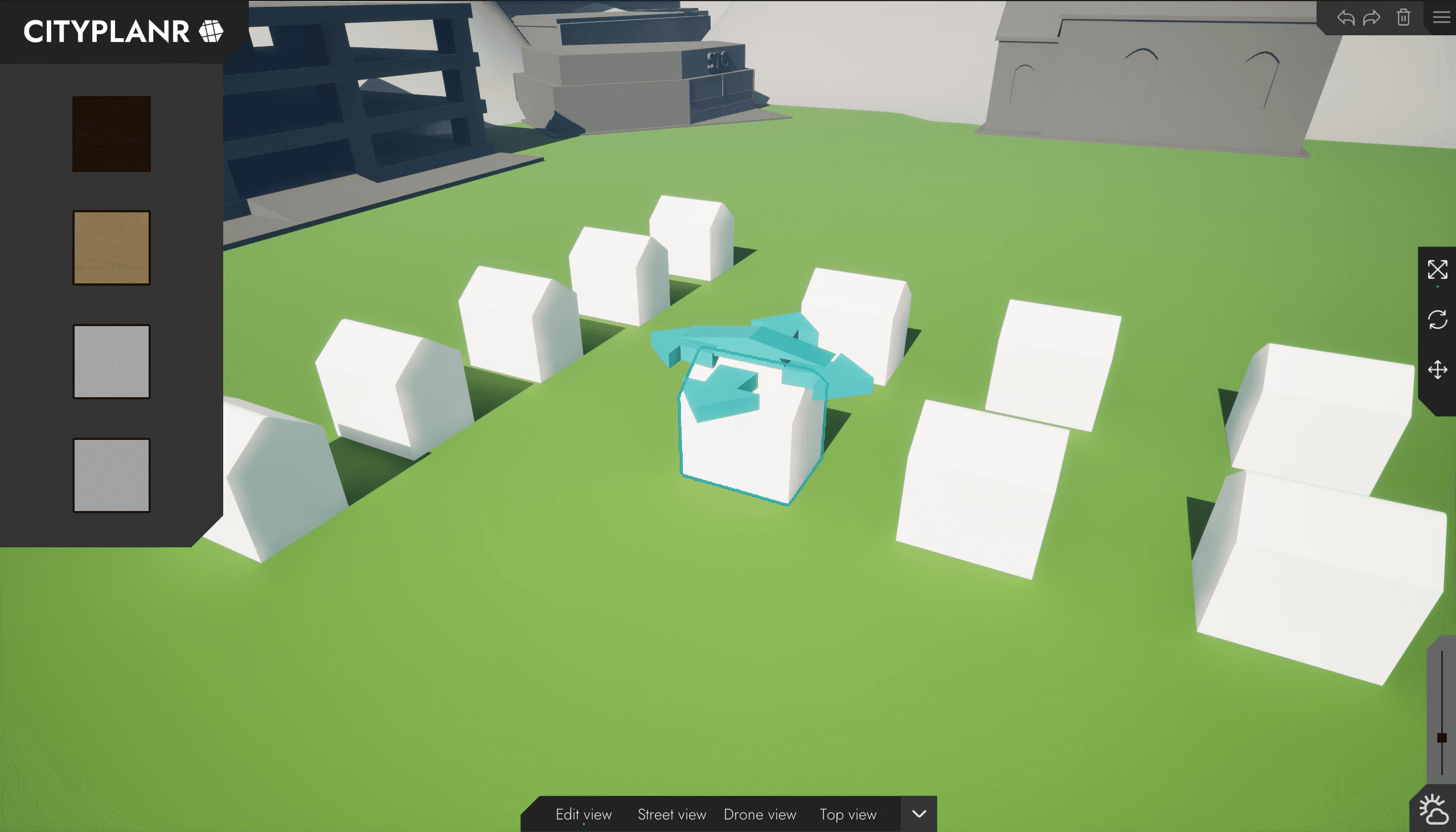
Edit mode
Object gizmo for moving structures and a UI for selecting materials. The selected object is always outlined with our accent color.
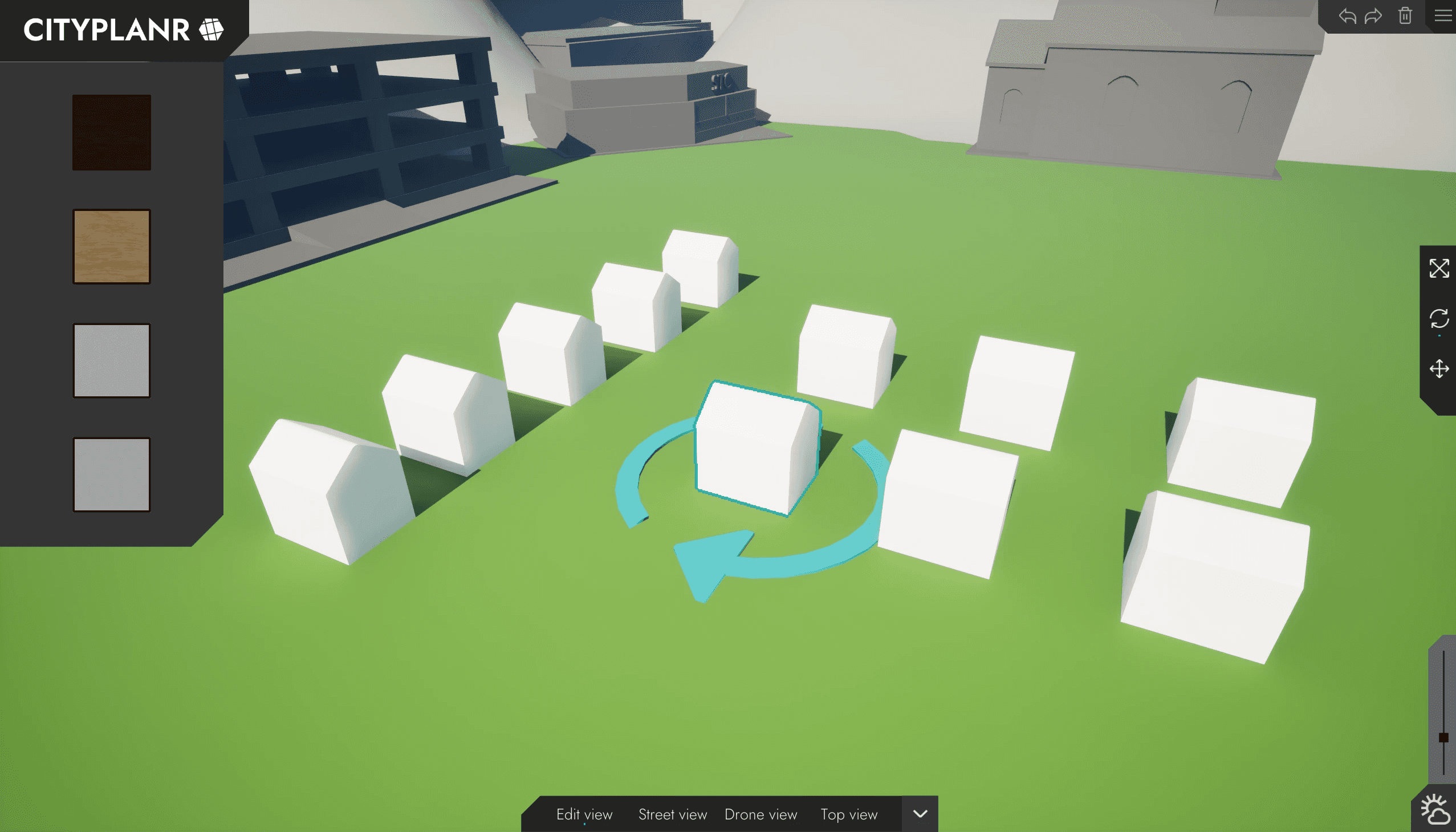
Edit mode
Object gizmo for rotating the selected building.
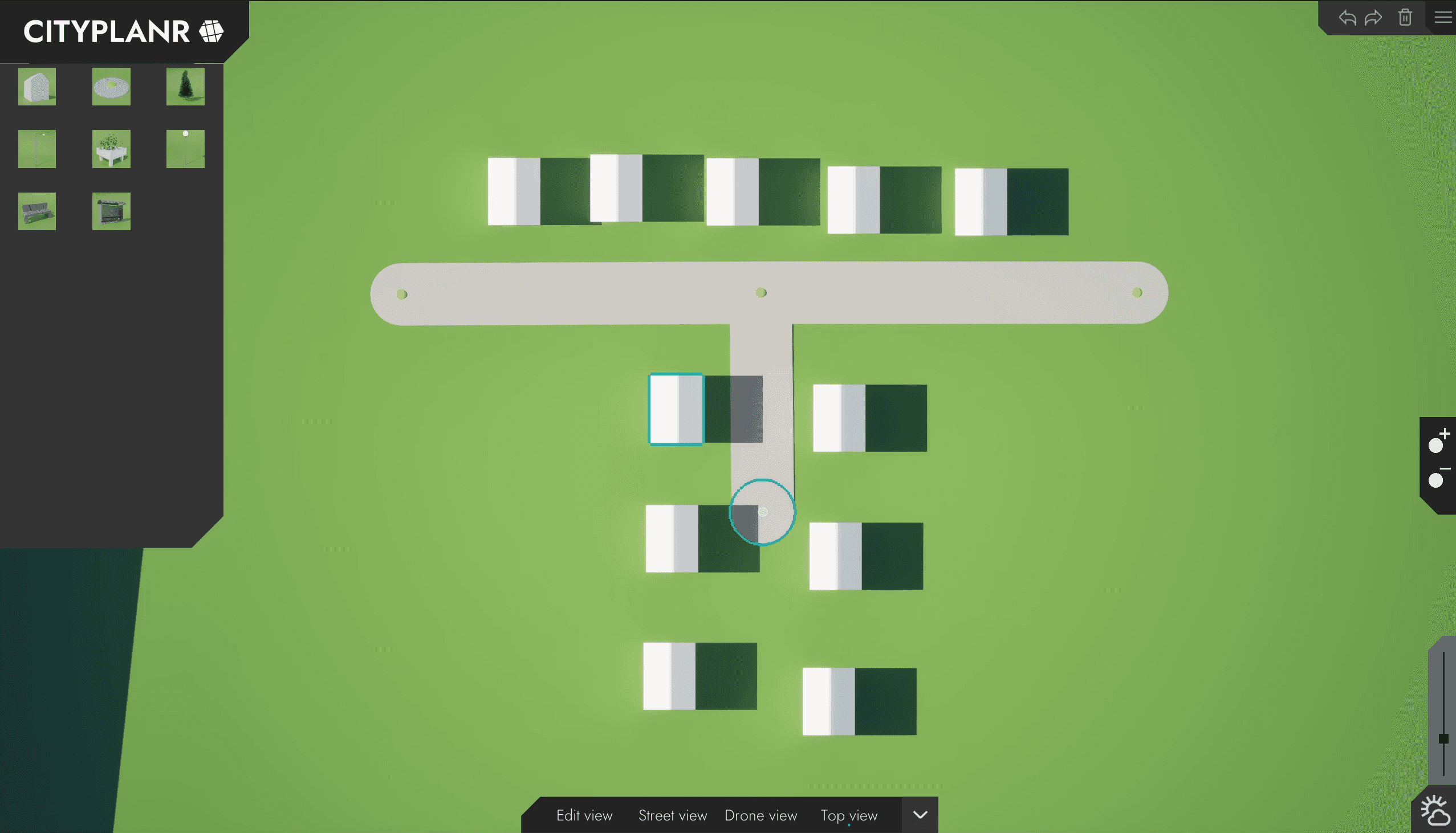
Road generation
Node-based placement system generating streets dynamically.
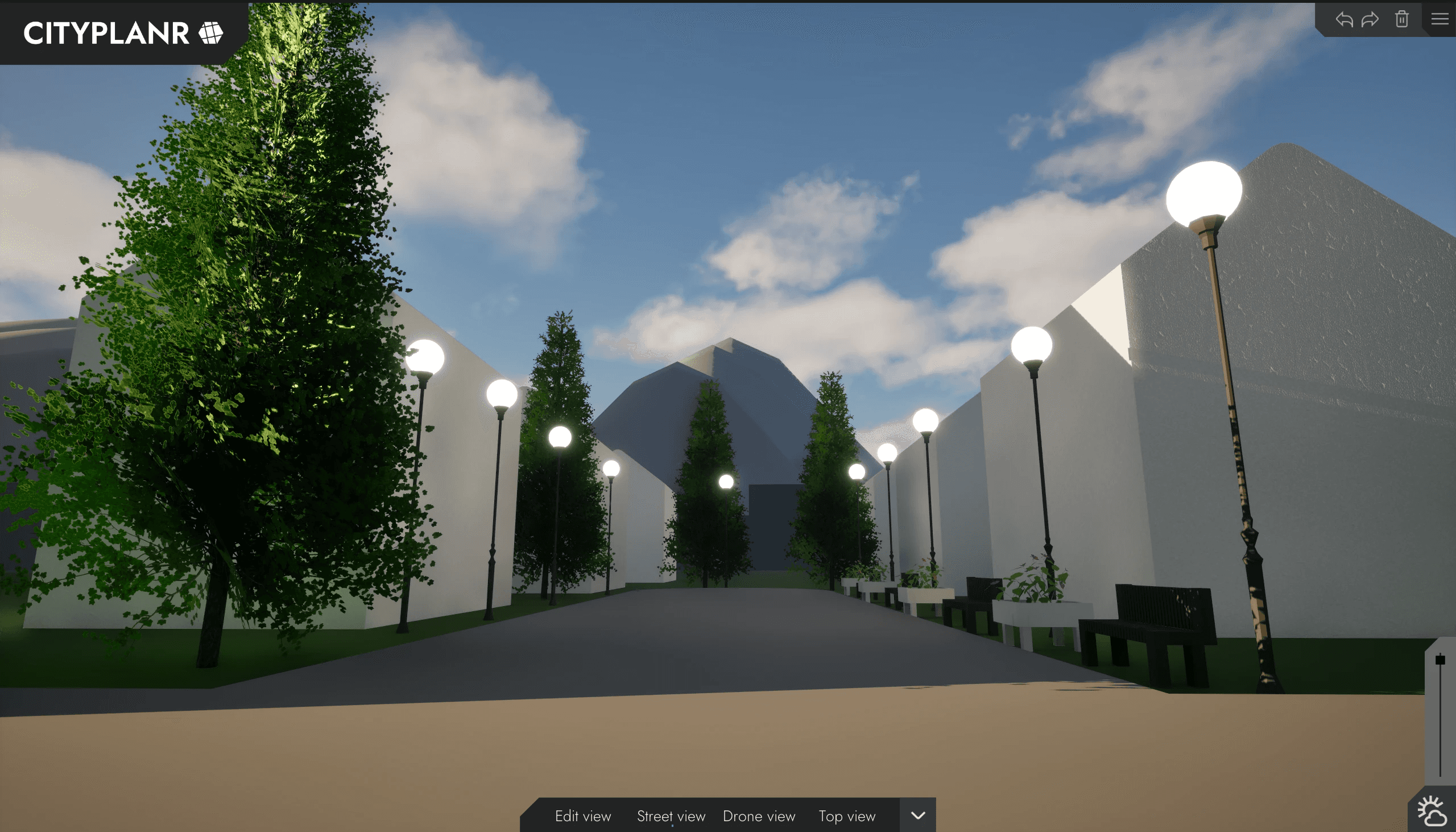
Streetview preview
Real-time visualization of the finished city layout.
CITYPLANR
This group project focused on building a visual and interactive tool for early-stage city planning. The brief came from a fictional architecture firm that normally builds physical scale models for city planning but wanted a more flexible digital alternative. We created a 3D-based editor that lets users place roads, buildings, and infrastructure with a clean and intuitive interface built for speed, clarity, and creative exploration.
Development
I took responsibility for project leadership, UI design, and menu logic tied to every feature in the application. I handled scheduling through Gantt and Trello, ensuring that the team followed our plan while adapting when needed. In Unreal Engine 5, I built the complete user interface and implemented all menu systems. I also designed icons and visual elements in Illustrator CC to establish a clear and consistent graphic language.
Challenges
The biggest challenges were team alignment and time constraints. With four people and very different working styles, it was difficult to find a shared rhythm early on. We solved this through honest retrospectives, where we openly discussed what worked and what didn’t. This transparency created trust and helped us leverage each person’s strengths. We also learned to prioritize, keeping a simple list of core versus optional features became key to delivering a functioning product on time.
Result
Performance-wise, the program ran smoothly and was lightweight. The visual style was close to what we envisioned - minimal, clear, and easy to read. Interaction was intuitive for both experienced and inexperienced users, using familiar control schemes (like WASD or arrow keys). If we had more time, we would have expanded the library of building and environment assets and refined the object-editing features. Maybe also a more dynamic map.
Collaborators
Project Details
Unreal Engine 5
Planning Tool
Group project
Project Lenght
4 weeks
Completed
Apr 29, 2025
Completed district view
Example of a planned area visualized in the final prototype.
Main menu
Access to project creation and saved sessions. All with a minimal and clean look.
Empty scene start
A new map with base UI controls ready for building placement.
Edit mode
Object gizmo for moving structures and a UI for selecting materials. The selected object is always outlined with our accent color.
Edit mode
Object gizmo for rotating the selected building.
Road generation
Node-based placement system generating streets dynamically.
Streetview preview
Real-time visualization of the finished city layout.
CITYPLANR
This group project focused on building a visual and interactive tool for early-stage city planning. The brief came from a fictional architecture firm that normally builds physical scale models for city planning but wanted a more flexible digital alternative. We created a 3D-based editor that lets users place roads, buildings, and infrastructure with a clean and intuitive interface built for speed, clarity, and creative exploration.
Development
I took responsibility for project leadership, UI design, and menu logic tied to every feature in the application. I handled scheduling through Gantt and Trello, ensuring that the team followed our plan while adapting when needed. In Unreal Engine 5, I built the complete user interface and implemented all menu systems. I also designed icons and visual elements in Illustrator CC to establish a clear and consistent graphic language.
Challenges
The biggest challenges were team alignment and time constraints. With four people and very different working styles, it was difficult to find a shared rhythm early on. We solved this through honest retrospectives, where we openly discussed what worked and what didn’t. This transparency created trust and helped us leverage each person’s strengths. We also learned to prioritize, keeping a simple list of core versus optional features became key to delivering a functioning product on time.
Result
Performance-wise, the program ran smoothly and was lightweight. The visual style was close to what we envisioned - minimal, clear, and easy to read. Interaction was intuitive for both experienced and inexperienced users, using familiar control schemes (like WASD or arrow keys). If we had more time, we would have expanded the library of building and environment assets and refined the object-editing features. Maybe also a more dynamic map.
Collaborators
Project Details
Unreal Engine 5
Planning Tool
Group project
Project Lenght
4 weeks
Completed
Apr 29, 2025
Completed district view
Example of a planned area visualized in the final prototype.
Main menu
Access to project creation and saved sessions. All with a minimal and clean look.
Empty scene start
A new map with base UI controls ready for building placement.
Edit mode
Object gizmo for moving structures and a UI for selecting materials. The selected object is always outlined with our accent color.
Edit mode
Object gizmo for rotating the selected building.
Road generation
Node-based placement system generating streets dynamically.
Streetview preview
Real-time visualization of the finished city layout.