Keyboard configurator
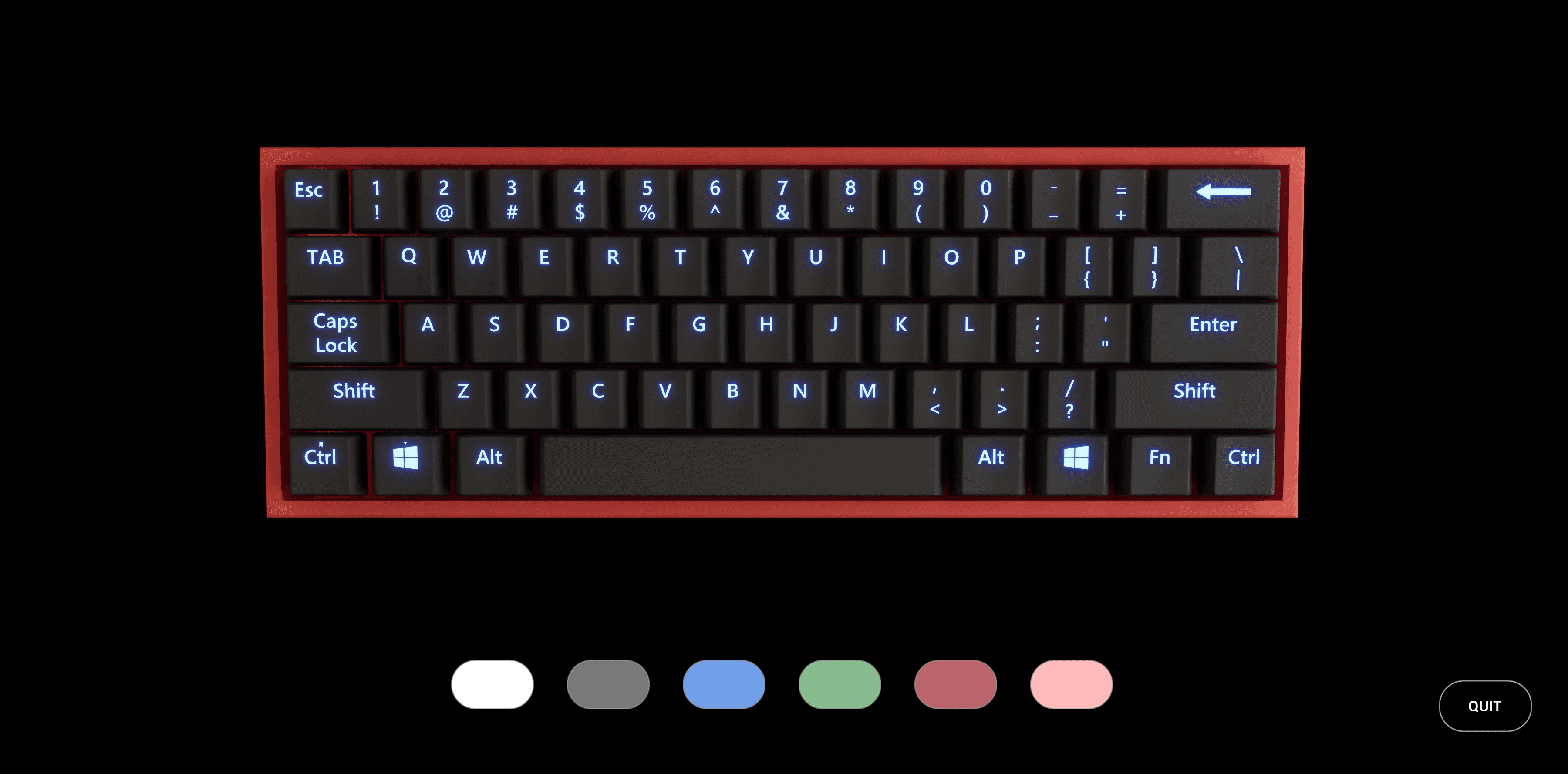
This was my first full-scale project in Unreal Engine 5, developed individually during the Application Development course. The goal was to create an interactive configurator using visual scripting, showcasing both real-time functionality and a cinematic demonstration of the product. I chose to build a keyboard configurator where users can customize colors for the base, keycaps, and backlighting, one category at a time.
Development
I modeled the keyboard entirely from scratch in Blender to maintain clean topology and full control over separations between components. This decision allowed a smoother workflow later in Unreal, where I implemented all interactivity through Blueprints. The application lets users toggle between categories, change materials, and preview results in real time. A cinematic sequence demonstrates the product through animated camera paths, highlighting lighting, material transitions, and overall design.
Challenges
The biggest challenge was working in Unreal Engine for the first time. I had to independently research how to build a functioning system for color selection and interface communication. Finding suitable reference models was also time-consuming, which reinforced my decision to model my own keyboard from the ground up.
Result
Despite that, the final application ran smoothly and behaved exactly as intended. The materials looked convincing, and the overall experience felt cohesive. I was particularly proud of how intuitive the interface became and how well the cinematic presented the product. With more time, I would have added options for switch types and implemented subtle keypress animations paired with sound cues for realism.
Project Details
Unreal Engine 5
Product configurator
Solo project
Project Lenght
2 weeks
Completed
Feb 13, 2025
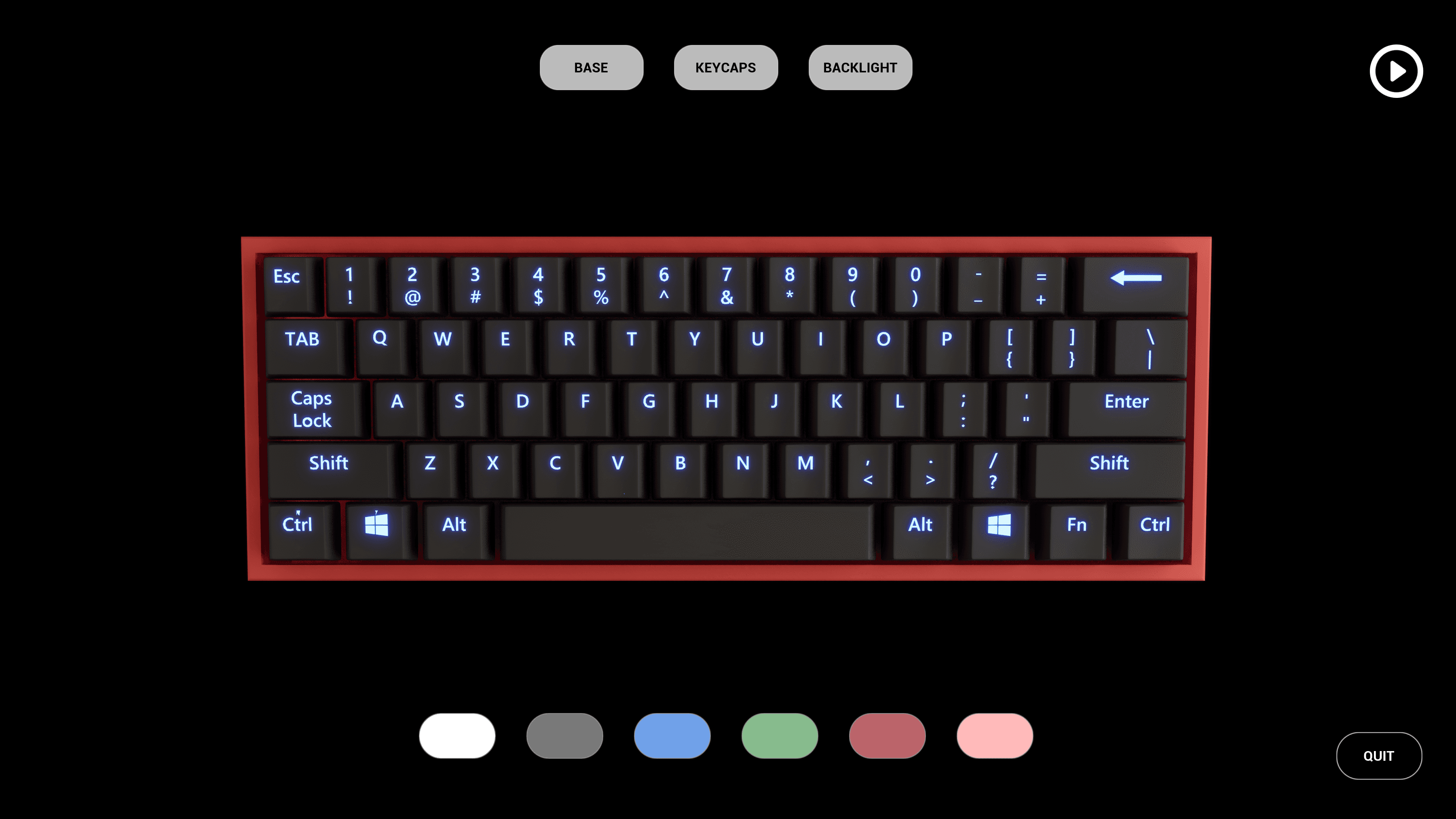
User interface view
The keyboard configurator as seen by the user, showing how base and keycap colors can be changed in real time through the on-screen interface.
Scene setup
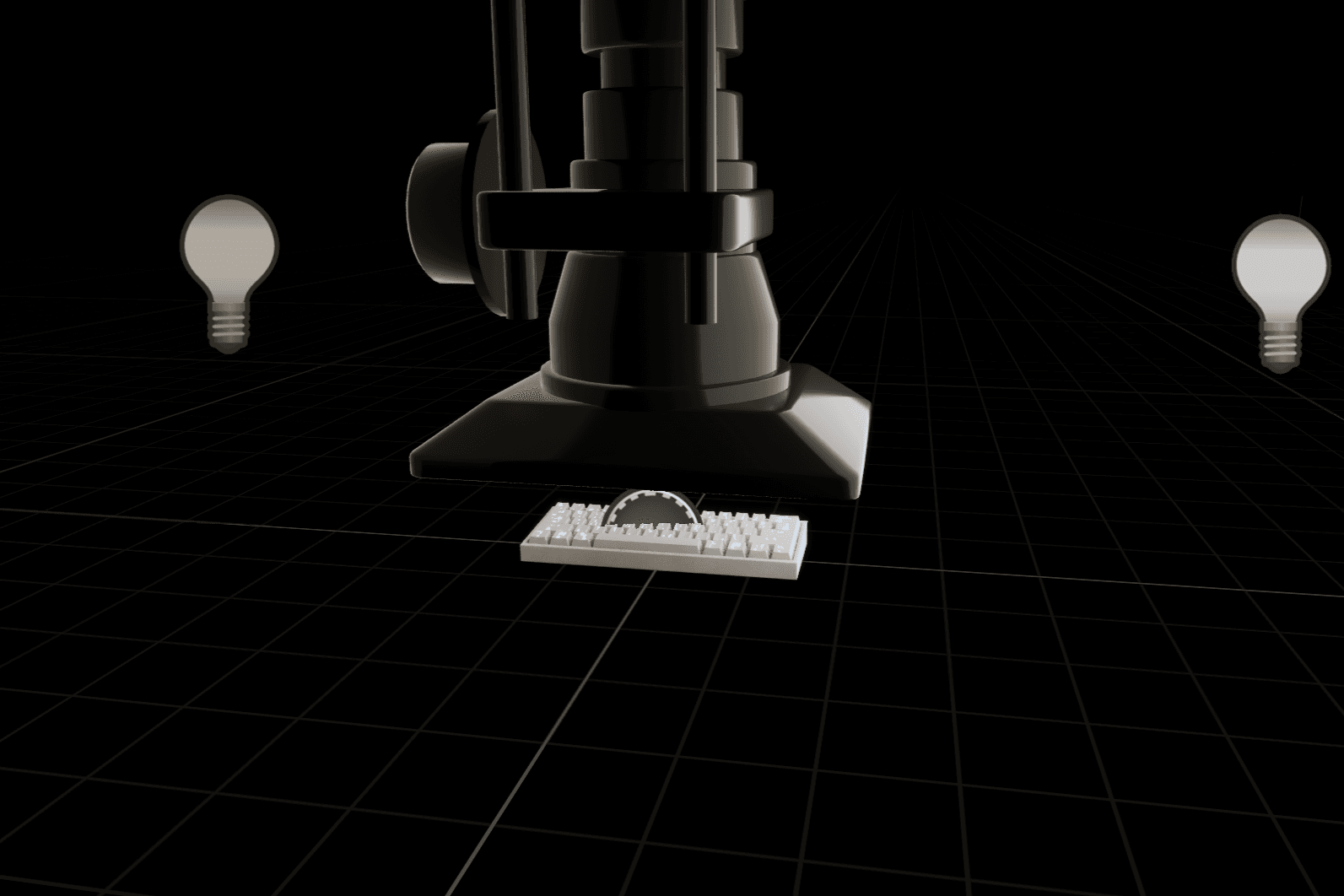
View of the product setup inside Unreal Engine, including lighting arrangement and camera position used for the cinematic presentation.
Model topology
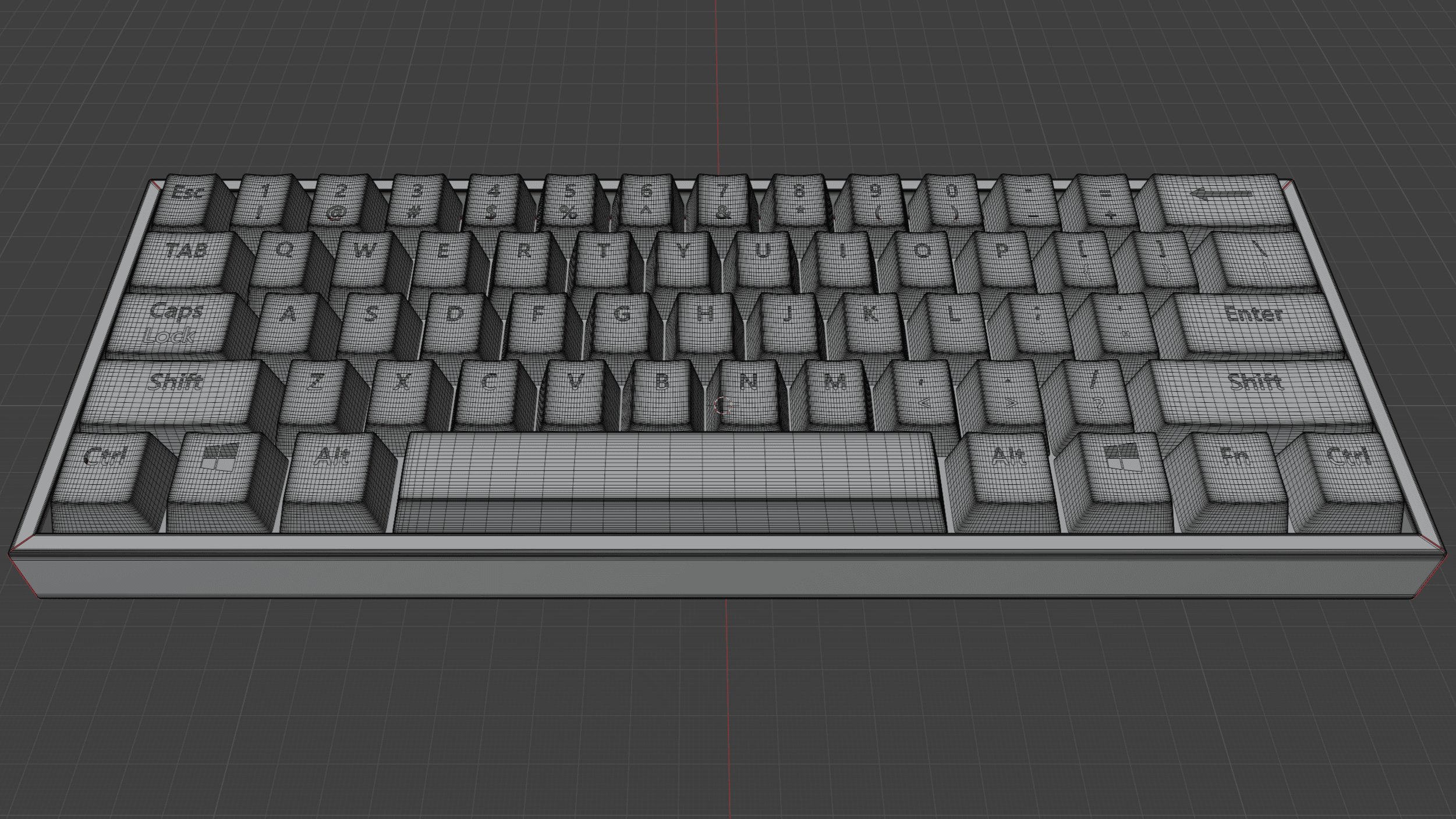
The keyboard model displayed in Blender with wireframe enabled, showing clean topology and separate geometry for each configurable part.
Button logic
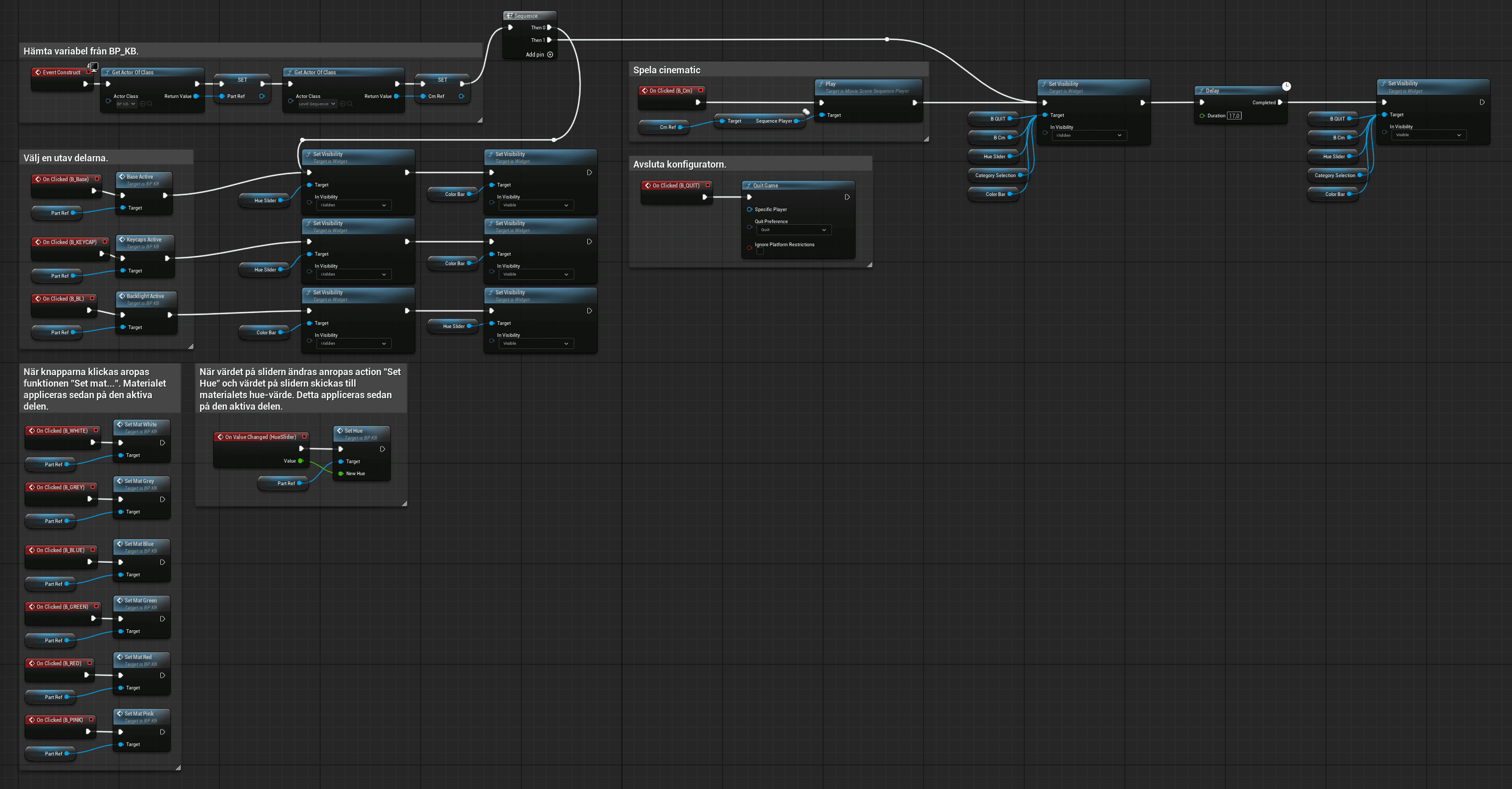
Screenshot of the Blueprint system handling user input and color changes, illustrating how interface elements connect to material updates.
Keyboard configurator
This was my first full-scale project in Unreal Engine 5, developed individually during the Application Development course. The goal was to create an interactive configurator using visual scripting, showcasing both real-time functionality and a cinematic demonstration of the product. I chose to build a keyboard configurator where users can customize colors for the base, keycaps, and backlighting, one category at a time.
Development
I modeled the keyboard entirely from scratch in Blender to maintain clean topology and full control over separations between components. This decision allowed a smoother workflow later in Unreal, where I implemented all interactivity through Blueprints. The application lets users toggle between categories, change materials, and preview results in real time. A cinematic sequence demonstrates the product through animated camera paths, highlighting lighting, material transitions, and overall design.
Challenges
The biggest challenge was working in Unreal Engine for the first time. I had to independently research how to build a functioning system for color selection and interface communication. Finding suitable reference models was also time-consuming, which reinforced my decision to model my own keyboard from the ground up.
Result
Despite that, the final application ran smoothly and behaved exactly as intended. The materials looked convincing, and the overall experience felt cohesive. I was particularly proud of how intuitive the interface became and how well the cinematic presented the product. With more time, I would have added options for switch types and implemented subtle keypress animations paired with sound cues for realism.
Project Details
Unreal Engine 5
Product configurator
Solo project
Project Lenght
2 weeks
Completed
Feb 13, 2025
User interface view
The keyboard configurator as seen by the user, showing how base and keycap colors can be changed in real time through the on-screen interface.
Scene setup
View of the product setup inside Unreal Engine, including lighting arrangement and camera position used for the cinematic presentation.
Model topology
The keyboard model displayed in Blender with wireframe enabled, showing clean topology and separate geometry for each configurable part.
Button logic
Screenshot of the Blueprint system handling user input and color changes, illustrating how interface elements connect to material updates.
Keyboard configurator
This was my first full-scale project in Unreal Engine 5, developed individually during the Application Development course. The goal was to create an interactive configurator using visual scripting, showcasing both real-time functionality and a cinematic demonstration of the product. I chose to build a keyboard configurator where users can customize colors for the base, keycaps, and backlighting, one category at a time.
Development
I modeled the keyboard entirely from scratch in Blender to maintain clean topology and full control over separations between components. This decision allowed a smoother workflow later in Unreal, where I implemented all interactivity through Blueprints. The application lets users toggle between categories, change materials, and preview results in real time. A cinematic sequence demonstrates the product through animated camera paths, highlighting lighting, material transitions, and overall design.
Challenges
The biggest challenge was working in Unreal Engine for the first time. I had to independently research how to build a functioning system for color selection and interface communication. Finding suitable reference models was also time-consuming, which reinforced my decision to model my own keyboard from the ground up.
Result
Despite that, the final application ran smoothly and behaved exactly as intended. The materials looked convincing, and the overall experience felt cohesive. I was particularly proud of how intuitive the interface became and how well the cinematic presented the product. With more time, I would have added options for switch types and implemented subtle keypress animations paired with sound cues for realism.
Project Details
Unreal Engine 5
Product configurator
Solo project
Project Lenght
2 weeks
Completed
Feb 13, 2025
User interface view
The keyboard configurator as seen by the user, showing how base and keycap colors can be changed in real time through the on-screen interface.
Scene setup
View of the product setup inside Unreal Engine, including lighting arrangement and camera position used for the cinematic presentation.
Model topology
The keyboard model displayed in Blender with wireframe enabled, showing clean topology and separate geometry for each configurable part.
Button logic
Screenshot of the Blueprint system handling user input and color changes, illustrating how interface elements connect to material updates.